adsenservice
Related Articles



Artificial intelligence is no longer something limited to technology experts or large companies. Today, AI tools are available to almost everyone, and many of them are simple enough for complete beginners to use. Whether you want help with writing, studying, creating images, organizing ideas, or completing everyday tasks, AI can become a useful part of your routine.
When I first started exploring AI tools, I realized that the biggest challenge for beginners is not understanding complicated technology. The real challenge is knowing where to start. There are so many AI tools available that choosing one can feel confusing.
The good news is that you do not need to learn everything at once. In my opinion, the best way to learn how to use AI tools is to start with one simple task, practice regularly, and gradually explore more features.
What Are AI Tools?
AI tools are software applications that use artificial intelligence to help users complete different tasks. Some tools can understand written questions, while others can generate images, analyze information, create audio, assist with coding, or help organize content.
For beginners, AI tools can be useful for many everyday activities.
You can use AI to brainstorm ideas, summarize information, improve writing, create social media content, translate text, prepare study notes, generate images, and learn new subjects.
The important thing is to understand that an AI tool is an assistant. It can help you work faster, but you should still review the information and use your own judgment.
Start With One Simple AI Tool
One of the biggest mistakes beginners can make is trying to learn too many AI tools at the same time.
There are hundreds of AI applications available, and each one may have different features. Instead of jumping from one platform to another, choose one tool that matches your immediate needs.
For example, if you want help with writing, start with an AI writing assistant. If you want to create images, choose an AI image generator. If you want to organize information, look for an AI tool designed for that purpose.
Once you become comfortable with one tool, learning another usually becomes much easier.
Learn How to Write Good Prompts
Learning how to write prompts is one of the most important skills for anyone who wants to use AI tools effectively.
A prompt is the instruction you give to an AI system. The quality of your prompt can have a major effect on the response.
Instead of writing:
“Write an article.”
You could say:
“Write a beginner friendly article about home gardening in a clear and natural tone. Explain how to choose soil, water plants, provide sunlight, and avoid common mistakes.”
The second prompt gives the AI more context and direction.
When writing prompts, explain what you want, who the content is for, what style you prefer, and any important details that should be included.
Be Clear and Specific
AI tools can understand natural language, but vague instructions can produce results that are not very useful.
Suppose you want an AI tool to create a social media graphic. Instead of saying:
“Make a business image.”
Try something more specific:
“Create a professional social media graphic for a small online business, using a clean modern design, soft blue colors, a laptop on a desk, natural lighting, and enough empty space for a short headline.”
This gives the AI a much better understanding of your goal.
You do not need to use complicated technical language. Clear everyday language is often enough.
Use AI for Learning
AI tools can be very helpful for students and people who want to learn new subjects.
If you are studying something difficult, you can ask AI to explain the topic in simpler words. You can also ask for examples, practice questions, summaries, or step by step explanations.
For example, you could ask:
“Explain photosynthesis to me as if I am a beginner, then give me five simple questions to test my understanding.”
This type of interaction can make learning more active.
However, I recommend checking important educational information against reliable sources, textbooks, or your teacher’s materials. AI can sometimes provide incorrect information, even when the answer sounds convincing.
Use AI for Writing
AI writing tools can help beginners with many types of written content.
You can ask AI to help create an outline, improve grammar, simplify complicated sentences, brainstorm headlines, summarize notes, or rewrite text for a particular audience.
For example, if you have written a rough paragraph, you can ask AI to make it clearer while keeping your original meaning.
I think this is one of the most practical uses of AI because it allows you to improve your writing without needing to start from an empty page.
Still, your own ideas should remain important. Read the final result carefully and make changes where necessary so that the content reflects your actual thoughts.
Use AI for Creating Images
AI image tools are becoming popular among bloggers, designers, marketers, and social media creators.
You can describe an image in a prompt and ask an AI image generator to create a visual based on your description.
For example:
“Create a realistic home garden with colorful flowers, green plants, a wooden bench, soft morning sunlight, and a peaceful natural atmosphere.”
The more relevant details you provide, the easier it is for the tool to understand your concept.
AI image tools can be useful for blog featured images, social media graphics, presentations, creative projects, and visual ideas.
Always review generated images before publishing them. AI generated visuals can sometimes contain unusual details or inaccurate objects.
Ask Follow Up Questions
You do not have to create a perfect prompt on your first attempt.
One of the easiest ways to use AI tools is to continue the conversation.
If the first answer is too complicated, ask:
“Explain this in simpler language.”
If it is too short, ask:
“Give me more details and examples.”
If the writing sounds too formal, ask:
“Rewrite it in a natural and friendly tone.”
This makes AI feel more like an interactive assistant rather than a simple question and answer system.
Check AI Generated Information
One important lesson for beginners is that AI is not always correct.
An AI system can produce information that sounds accurate but contains mistakes. This is sometimes called a hallucination.
For everyday brainstorming, small mistakes may not be serious. However, you should be much more careful when dealing with important information related to finance, law, health, education, business decisions, or current events.
Check important facts using trustworthy sources before relying on them.
AI can save time during research, but it should not replace careful verification.
Protect Your Personal Information
Beginners should also understand basic privacy practices when using AI tools.
Avoid entering passwords, banking information, private documents, confidential business information, or other sensitive details unless you understand how the particular service handles that information.
Before uploading a document, think about whether the AI tool actually needs the complete document.
A good habit is to share only the information required to complete the task.
Experiment With Different AI Tools
After becoming comfortable with one AI application, you can start exploring other types of tools.
You might try an AI image generator, writing assistant, transcription tool, presentation creator, coding assistant, or research tool.
Different AI tools are designed for different purposes. Some are better suited to creative work, while others focus on productivity or specialized tasks.
I recommend experimenting with free options first when they are available. This lets you understand your needs before deciding whether you want additional features.
Create a Simple AI Workflow
Once you understand the basics, you can combine AI tools with your normal workflow.
For example, a blogger might use AI to brainstorm an article idea, create an outline, improve a draft, generate an image concept, and prepare social media captions.
A student might use AI to explain a difficult topic, create practice questions, summarize personal notes, and identify areas that need additional study.
A small business owner might use AI for brainstorming marketing ideas, writing drafts, creating graphics, and organizing information.
The goal is not to let AI do everything. The goal is to use AI where it can genuinely save time or improve your process.
Common Mistakes Beginners Should Avoid
There are a few mistakes I recommend avoiding when learning how to use AI tools.
The first is expecting perfect results from one prompt. AI often needs some direction and refinement.
The second is believing everything AI says without checking it. Always verify important information.
The third is using AI without understanding the tool’s features or limitations.
Another mistake is becoming too dependent on AI. Your creativity, knowledge, experience, and decision making still matter.
Finally, avoid copying AI generated content without reviewing it. Personalizing the result usually makes it more useful and natural.
Practice Is the Best Way to Learn
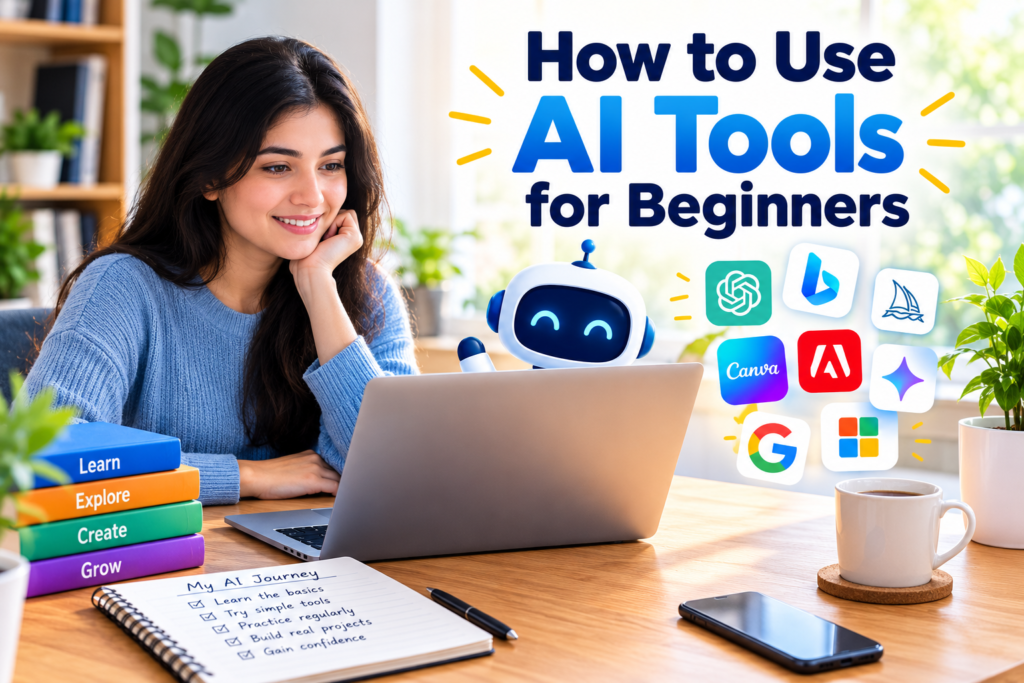
You do not need a complicated course to start learning how to use AI tools. Practice can teach you a lot.
Choose one small project and use AI to complete it. Try different prompts and compare the results. Notice which instructions produce better answers.
For example, you could spend one day using AI for writing, another day experimenting with image generation, and another day using AI for learning.
Over time, you will naturally become better at explaining what you want.
Final Thoughts
Learning how to use AI tools for beginners does not have to be difficult. The most important thing is to start small and focus on practical tasks.
Choose one useful AI tool, learn how prompts work, ask clear questions, experiment with follow up instructions, and always review the results. As your confidence grows, you can explore more advanced tools and create your own AI workflow.
From my point of view, AI works best when it supports your own skills rather than replacing them. Your ideas and judgment are still the most important parts of the process. AI simply gives you another way to turn those ideas into useful results.
With regular practice and responsible use, AI tools can become valuable assistants for learning, writing, creativity, productivity, and many other everyday tasks.