adsenservice
Related Articles

AI image generators have changed the way we create visual content. Today, anyone can describe an idea in simple words and turn it into an image with the help of artificial intelligence. However, getting a good result is not always as easy as typing a few random words. In my experience, the quality of an AI generated image depends heavily on how clearly the idea is explained in the prompt.
Learning how to write effective AI image prompts can save time, improve image quality, and make the final result much closer to what you actually have in mind. Whether you want images for a blog, social media, a website, presentation, YouTube thumbnail, or personal project, writing better prompts is an important skill.
In this guide, I will explain how I approach AI image prompts and the simple techniques that can help beginners create better results.
What Is an AI Image Prompt?
An AI image prompt is a written description that tells an AI image generator what kind of picture you want to create. The prompt can describe the subject, background, colors, lighting, mood, composition, style, and other visual details.
For example, instead of writing:
“Mountain image”
you could write:
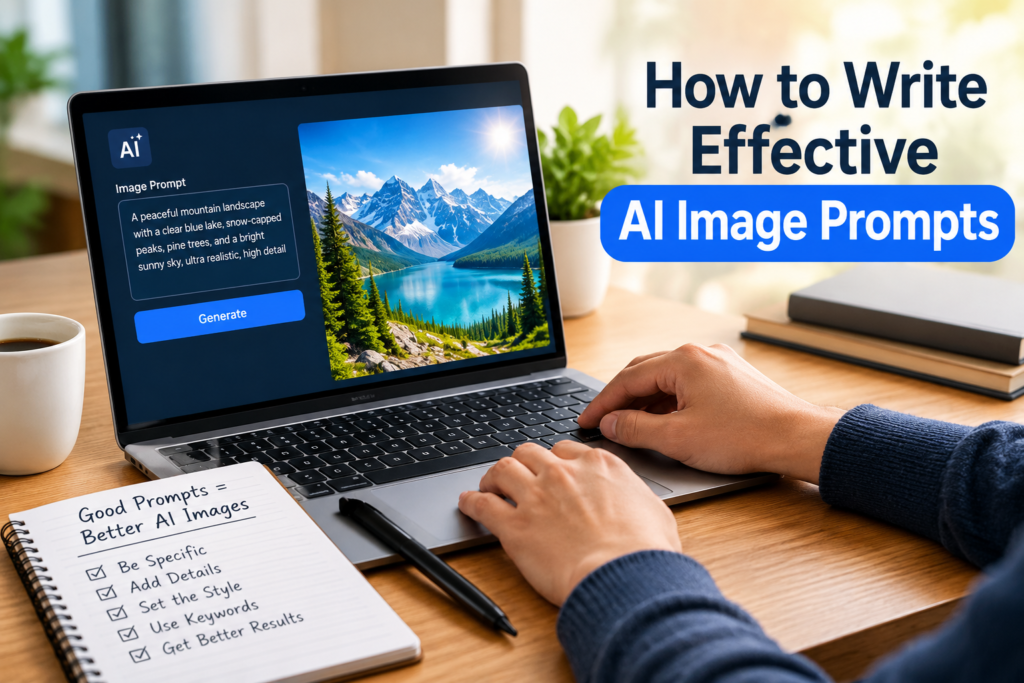
“A peaceful mountain landscape with snow covered peaks, a clear blue lake, green pine trees, soft morning sunlight, realistic photography, and a wide cinematic composition.”
The second prompt gives the AI much more information to work with. As a result, there is usually a better chance of getting an image that matches your original idea.
Start With a Clear Main Subject
The first thing I focus on when writing an AI image prompt is the main subject. The AI needs to understand what should be the most important part of the image.
Your subject could be a person, animal, building, car, product, landscape, room, food item, or almost anything else.
For example:
“A golden retriever sitting in a garden”
is much clearer than simply saying:
“Dog”
If you want a specific type of subject, describe it carefully. You can mention its appearance, position, clothing, expression, material, size, or other relevant characteristics.
For a product image, you might write:
“A modern black wireless headphone placed on a clean wooden desk.”
This immediately gives the image generator a basic visual direction.
Add Details That Matter
Once the main subject is clear, I like to add useful details. Details can make an ordinary prompt much more specific.
Think about questions such as:
What does the subject look like?
Where is it located?
What is happening in the scene?
What objects are around it?
What time of day is it?
What kind of atmosphere should the image have?
For example, instead of saying:
“A woman working on a laptop”
you could describe:
“A young woman working on a laptop at a bright home office desk, surrounded by books and a small indoor plant, with natural sunlight coming through the window.”
This gives the AI a stronger understanding of the scene.
Describe the Background
The background is often overlooked when people create AI image prompts. However, it can have a major effect on the final image.
If you do not mention the background, the AI may create something that does not fit your purpose.
For example, if you are creating a product image, you might want a clean studio background. If you are creating a travel image, you may want mountains, beaches, streets, or famous architecture in the background.
A simple example would be:
“A modern smartphone placed on a clean white table with a soft blurred office background.”
The background should support the main subject rather than distract from it.
Use Lighting to Improve the Image
Lighting is another useful element in effective AI image prompts. Different lighting descriptions can create completely different moods.
You can describe:
Soft natural light
Golden hour lighting
Bright studio lighting
Warm indoor lighting
Dramatic cinematic lighting
Soft morning sunlight
Nighttime lighting
For example:
“A cozy reading room with warm indoor lighting, wooden furniture, bookshelves, and a comfortable chair.”
The lighting description helps establish the overall feeling of the image.
Choose the Right Image Style
When I want a particular visual appearance, I include the style in the prompt. AI image generators can produce many different styles, so it helps to clearly explain what you want.
You can request styles such as:
Realistic photography
Digital art
Watercolor
Oil painting
Minimalist illustration
3D render
Cinematic scene
Editorial photography
Cartoon illustration
Flat vector illustration
For example:
“A modern living room with large windows, indoor plants, wooden furniture, and soft natural light, realistic interior photography.”
The important thing is to choose a style that matches your purpose.
Mention the Composition
Composition describes how the elements are arranged in an image. This can be especially important when creating images for websites and social media.
You can describe whether you want:
A close up view
A wide angle view
A centered subject
A portrait composition
A landscape composition
A top down view
A balanced composition
For example:
“A close up product photograph of a smartwatch on a clean desk with the watch centered in the frame.”
If you are creating a WordPress featured image, a wide composition can often work well because it gives you more space for the website layout.
Include Colors When They Are Important
Colors can completely change the appearance of an image. If you have a particular color scheme in mind, mention it in your prompt.
For example:
“A modern workspace with white furniture, natural wood details, green indoor plants, and soft blue accents.”
You do not need to describe every single color. I usually mention only the colors that are important to the visual concept.
Describe the Mood
The mood tells the AI how the image should feel.
For example, an image can be:
Calm
Professional
Energetic
Peaceful
Dramatic
Elegant
Friendly
Modern
Cozy
Bright
If you are creating a travel blog image, you might want a peaceful and adventurous feeling. For a business article, a professional and modern mood may be more suitable.
A prompt could be:
“A peaceful tropical beach at sunrise with calm blue water, soft golden light, palm trees, and a relaxing atmosphere.”
Keep Your Prompt Specific but Natural
One common mistake beginners make is adding too many unrelated words. A very long prompt is not automatically a better prompt.
The goal is to provide useful information rather than fill the prompt with unnecessary descriptions.
I prefer to build a prompt logically:
Subject + environment + details + lighting + style + composition + mood
For example:
“A modern electric car parked on a clean city street at sunset, glass buildings in the background, soft golden lighting, realistic automotive photography, wide composition, and a premium atmosphere.”
This type of structure makes the idea easier to understand.
Use Keywords Carefully
Keywords are useful when writing effective AI image prompts, especially when you are trying to achieve a specific visual style.
Words such as realistic, cinematic, detailed, professional photography, soft lighting, minimalist, modern, colorful, and high quality can help communicate your visual direction.
However, I would not recommend adding dozens of similar keywords. Repeating words such as “high quality” several times does not necessarily make the image better.
Instead, use descriptive words that actually explain what you want to see.
Think About the Purpose of the Image
Before writing the prompt, I always recommend thinking about where the image will be used.
A blog featured image may need a wide composition. A social media post may need a different aspect ratio. A product image may need a clean background. A presentation image may need plenty of empty space around the main subject.
For a technology blog, for example, you might write:
“A modern laptop displaying an AI image generation interface on a clean office desk, soft natural lighting, realistic technology photography, wide composition, professional atmosphere.”
The purpose of the image helps determine what details should be included.
Experiment With Different Prompts
Even a well written AI image prompt may not produce the perfect result on the first attempt. This is completely normal.
I usually treat AI image generation as an editing process. If the first image is close but not quite right, I change a few parts of the prompt rather than starting from scratch.
For example, if the subject is correct but the background is too busy, I might add:
“clean minimal background with subtle details.”
If the image looks too dark, I might add:
“bright natural daylight.”
Small changes can sometimes produce noticeably different results.
Avoid Contradictory Instructions
Another important tip is to avoid giving the AI instructions that conflict with each other.
For example, asking for a “dark nighttime scene with bright midday sunlight” creates an unclear visual direction.
Try to make your prompt consistent. If you want a nighttime image, describe nighttime lighting. If you want a bright daytime scene, use appropriate daylight descriptions.
Clear instructions generally make the creative process easier.
Create a Reusable Prompt Formula
Once you understand how prompts work, you can create your own formula and reuse it for different projects.
A simple AI image prompt formula can be:
Main subject + action or position + environment + important details + lighting + style + composition + mood
For example:
“A professional photographer standing beside a camera in a modern studio, photography equipment in the background, soft studio lighting, realistic photography, medium wide composition, professional and creative atmosphere.”
You can replace the subject and details while keeping the same basic structure.
AI Image Prompts for Blog Featured Images
If you are creating images for a WordPress blog, I recommend keeping the design clean and relevant to the article topic.
For example, an article about gardening could use:
“A realistic home garden with healthy green plants, gardening tools, rich soil, natural morning sunlight, clean composition, professional garden photography, wide landscape format.”
For an article about technology:
“A modern laptop and smartphone on a clean desk displaying an AI technology interface, soft natural lighting, realistic technology photography, modern workspace, wide composition.”
The image should support the topic without becoming visually confusing.
Common AI Prompt Mistakes
There are a few mistakes that can make AI image generation more difficult.
The first is being too vague. A prompt like “make a nice house” gives very little direction.
The second is adding unnecessary details. Too many unrelated instructions can make the image confusing.
The third is ignoring composition. If you need a wide blog image, mention that requirement.
The fourth is failing to describe the background. An unwanted background can reduce the usefulness of an otherwise good image.
The fifth is expecting the first generation to be perfect. AI image creation usually benefits from experimentation and refinement.
Final Thoughts
Learning how to write effective AI image prompts does not require advanced technical knowledge. In my view, the most important skill is learning how to describe your visual idea clearly.
Start with the main subject, then explain the environment, important details, lighting, style, composition, colors, and mood. Avoid unnecessary words and contradictory instructions. Most importantly, experiment with your prompts and learn from each result.
The more you practice writing AI image prompts, the easier it becomes to understand which descriptions produce the results you want. With a simple and organized approach, AI image generators can become a useful tool for creating blog images, social media graphics, marketing visuals, presentations, and many other types of content.
A good prompt is basically a clear conversation between you and the image generator. The better you explain your idea, the better chance you have of getting an image that matches your vision.