adsenservice
Related Articles
A good featured image can make a blog post look more professional and attractive. When I publish an article, I always think about the image because it is often the first thing a reader notices. A well designed blog featured image can improve the visual appearance of a website, make content easier to recognize, and encourage visitors to explore the article.
Today, AI tools for creating blog featured images have made this process much easier. You do not need to be an experienced graphic designer or spend hours creating designs manually. With the right AI image generator, you can describe an idea and create a useful visual within minutes.
In my experience, the most important thing is not simply choosing a popular AI tool. It is learning how to use the tool correctly and creating images that match the topic of the article. In this guide, I will discuss some useful AI tools for creating blog featured images, what makes them useful, and how you can use them for your WordPress website.
Why Blog Featured Images Matter
A featured image gives your blog post a visual identity. When someone sees your article on a homepage, category page, search result, or social media platform, the image can help communicate the topic before the visitor reads the title.
For example, a blog post about gardening can use an image of healthy plants, soil, gardening tools, and a backyard. Similarly, an article about technology can use a modern computer, smartphone, or digital workspace.
I believe the best featured images are simple and directly connected to the subject. There is no need to fill the image with unnecessary elements. A clean composition usually looks more professional and works better on different screen sizes.
Canva AI for Blog Images
Canva is one of the tools I would consider when creating blog featured images because it combines AI features with traditional graphic design tools.
Canva provides templates, image editing features, typography options, and AI powered creative tools. This makes it useful when you want to generate an image and then make small changes before publishing it.
One advantage is that you can create a consistent visual style for your website. You can use similar layouts, fonts, and design elements across different articles.
For WordPress users, Canva can be particularly convenient because you can prepare the image at the required dimensions, add your article title, and export it in a suitable format.
Adobe Firefly
Adobe Firefly is another AI image creation option worth exploring. It is designed around creative work and can generate images from text descriptions.
What I like about this type of tool is the level of creative control available. You can describe the subject, environment, lighting, mood, and visual style.
For example, if I were creating an image for an article about home gardening, I might describe a bright backyard garden with raised beds, green vegetables, natural sunlight, and gardening tools.
The more specific the prompt, the easier it becomes to guide the result toward the idea you have in mind.
OpenAI Image Generation
OpenAI image generation can also be useful for creating custom visuals for blog articles.
Instead of searching through stock photography websites, you can describe the exact scene you want. This can be especially helpful for topics where finding a suitable stock image is difficult.
For example, an article about AI writing tools could have a custom image showing a laptop with a modern writing interface, creative ideas appearing around the screen, and a clean professional workspace.
The biggest advantage is flexibility. You can experiment with different concepts until you find something that fits the article.
Midjourney
Midjourney is widely known for creating highly detailed and artistic AI images. It can be useful when you want a more creative or visually impressive featured image.
Midjourney can work particularly well for travel, lifestyle, technology, nature, and creative topics.
However, I think it is important not to choose an image simply because it looks beautiful. The image should still make sense with the article. A visually impressive picture that does not represent the topic can confuse readers.
When creating blog featured images, relevance should always come before decoration.
Microsoft Designer
Microsoft Designer can also help with creating visual content using AI. It is useful for people who want to combine AI generated visuals with simple graphic design.
You can start with an idea, generate a visual, and then adjust the design for your blog.
This can be helpful when your featured image needs a specific layout. For example, you might want the main subject on one side with enough empty space for the article title on the other side.
That type of composition can make the final image easier to read and more attractive.
How to Write Prompts for Blog Featured Images
The quality of an AI generated image often depends on the prompt. A short prompt can work, but I usually recommend giving the AI enough information to understand what you want.
A useful prompt can include the following elements:
Main subject: Explain what should appear in the image.
Setting: Describe where the scene takes place.
Lighting: Mention natural light, soft light, studio lighting, or another suitable option.
Mood: Decide whether the image should feel modern, relaxing, professional, energetic, or educational.
Composition: Explain where you want the main subject positioned.
Style: Mention whether you want a realistic, clean, modern, or illustrated appearance.
For example, instead of writing “garden image,” you could write:
“Create a realistic and bright home garden with healthy green plants, rich soil, wooden garden beds, simple gardening tools, natural morning sunlight, and a clean professional composition suitable for a blog featured image.”
This gives the AI much more useful information.
Choose the Right Image Size
Image size is another important consideration. A featured image should look good on desktop computers, tablets, and smartphones.
For WordPress, I generally recommend creating a landscape image with enough resolution for a large featured image area. A common approach is using a 16:9 style composition.
The exact dimensions can depend on your WordPress theme and website design. Before creating dozens of images, check how your theme displays featured images.
A very large image can increase file size, while a very small image can look blurry. Finding a balance between quality and performance is important.
Add the Article Title Carefully
If you want text on your featured image, keep it simple. In my opinion, the article title should be easy to read without covering the important part of the picture.
AI image generators can sometimes struggle with accurate text. Because of this, I prefer generating the main visual first and adding the final title using a design tool when necessary.
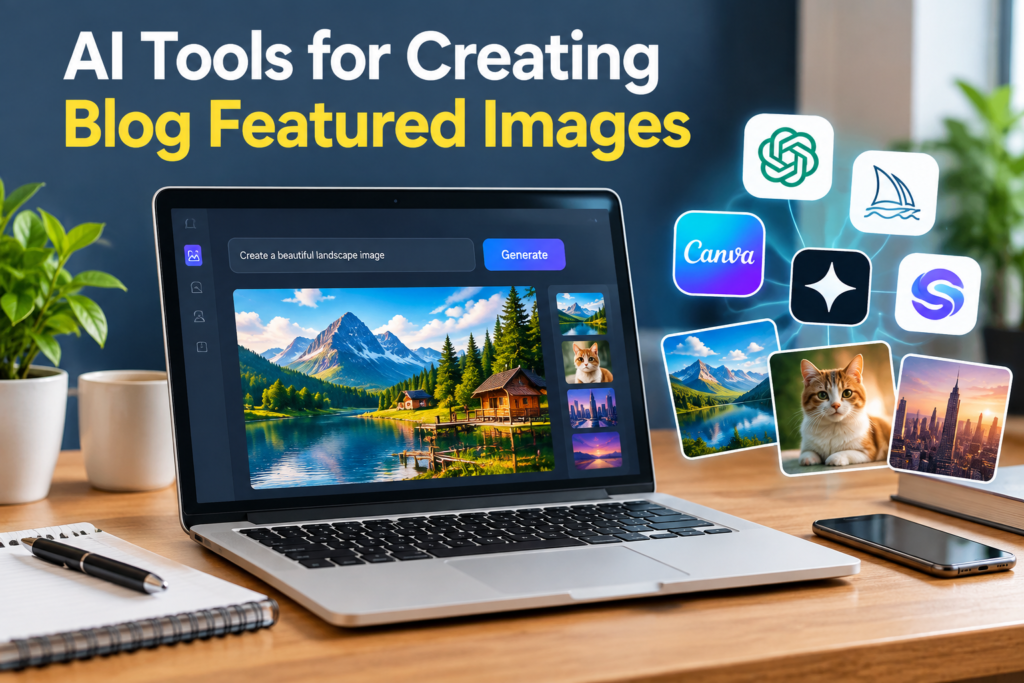
For example, a featured image for an article called “AI Tools for Creating Blog Featured Images” can show a laptop, creative workspace, generated images, and design elements. The title can then be placed in a clear area with enough contrast.
However, not every featured image needs text. A clean image without text can also look professional.
Keep Your Images Relevant
One mistake I see often is using generic images for every article. If your blog contains different topics, the featured images should help readers understand those differences.
A technology article could use computers or digital interfaces. A gardening article could use plants and garden tools. A travel article could show a destination or travel equipment.
AI makes it possible to create customized visuals for almost every topic.
This is one reason I find AI tools for creating blog featured images so useful. You are not limited to whatever stock photos happen to be available.
Make Images AdSense Friendly
If you are running a website with Google AdSense, your images should be suitable for a general audience and relevant to the content.
I recommend avoiding shocking, misleading, violent, or inappropriate visuals. The image should support the article rather than trying to attract clicks through sensational content.
A clean and professional image is usually a better choice for an informational website.
You should also make sure that your overall website follows the applicable advertising and content policies. An AI generated image does not automatically make an article suitable for advertising. The quality and nature of the entire page still matter.
Optimize Images Before Uploading
After creating your image, do not immediately upload a huge file to WordPress.
Compress the image while maintaining good visual quality. Choose an appropriate file format and use descriptive file names.
For example, instead of a file name such as:
“image12345.png”
you could use:
“ai-tools-blog-featured-images.webp”
A descriptive file name can make your media library easier to manage and provides useful context.
You should also add suitable alternative text when uploading the image. Alt text should describe the image naturally and accurately rather than being stuffed with keywords.
Create a Consistent Blog Style
If you publish regularly, consistency can make your website look much more professional.
You can create a recognizable style by using similar dimensions, typography, layouts, and visual themes. The actual subject can change while the overall appearance remains consistent.
For example, you could use realistic photography style images for technology articles and natural lifestyle visuals for travel and gardening articles.
AI tools make it easier to maintain this consistency because you can reuse similar prompt structures.
My Approach to AI Featured Images
Personally, I think AI should be treated as a creative assistant rather than a replacement for good judgment.
I would first understand the article and identify its main idea. Then I would create a simple concept for the image. After that, I would generate several variations and choose the one that communicates the topic most clearly.
I would also check the image carefully for strange objects, unrealistic details, awkward hands, incorrect text, or other visual problems. Even a powerful AI tool can occasionally create mistakes.
A few minutes of checking can make a big difference before publishing.
Final Thoughts
AI tools for creating blog featured images have made visual content creation much more accessible. Tools such as Canva, Adobe Firefly, OpenAI image generation, Midjourney, and Microsoft Designer can help bloggers create attractive visuals without needing advanced graphic design skills.
For me, the most important part is not simply generating a beautiful image. The image should be relevant, clean, readable, and appropriate for the article. It should also be optimized for WordPress so that it does not unnecessarily slow down the website.
If you are starting a blog, I recommend experimenting with different AI image tools and developing a consistent visual style. Learn how prompts affect results, keep your designs simple, optimize your files, and always review the final image before publishing.
When AI is combined with thoughtful content and good design decisions, creating professional blog featured images can become a much faster and easier part of the blogging process