adsenservice
Related Articles


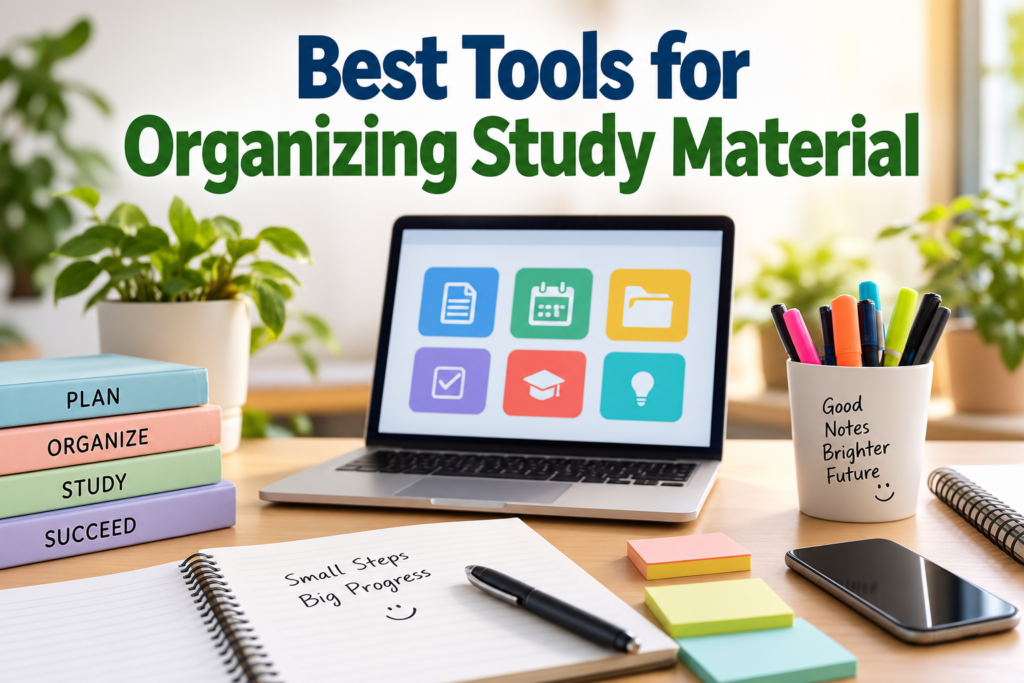
Studying becomes much easier when all your notes, books, assignments, documents, and important information are properly organized. I have found that many students do not actually struggle because they cannot study. They struggle because their study material is scattered across notebooks, phones, computers, cloud storage, and different apps.
When everything is organized in one simple system, it becomes easier to find information, review lessons, prepare for exams, and manage daily study tasks. The good thing is that there are many useful study organization tools available today. Some are designed for taking notes, some are useful for storing files, while others can help with planning and time management.
In this guide, I will discuss the best tools for organizing study material and explain how each type of tool can help students build a simple and effective study system.
Why Organizing Study Material Is Important
Before choosing any app or tool, I believe it is important to understand why organization matters. When study material is not organized, students can waste a lot of time looking for a particular note, PDF, assignment, or important topic.
Good organization helps reduce this problem. Instead of searching through dozens of files, you can create clear folders, subjects, notebooks, or categories.
It also makes revision easier. When exams are approaching, you can quickly find your important notes and review them without wasting valuable time.
Another benefit is that organized study material can make studying feel less stressful. You know where everything is, so you can focus more on learning instead of managing files.
1. Digital Note Taking Apps
Digital note taking apps are among the most useful tools for organizing study material. They allow you to create notes, headings, lists, and sometimes even drawings or handwritten notes.
You can create a separate notebook for each subject. For example, you could have notebooks for mathematics, science, English, history, and computer studies.
One major advantage of digital notes is search. If you remember a particular word or topic but cannot remember where you wrote it, you can often search your notes instead of checking every page manually.
Apps such as Microsoft OneNote, Google Keep, and Apple Notes can be useful depending on your device and personal preferences.
The important thing is not to install too many note taking apps. Choose one main app and use it consistently.
2. Cloud Storage Tools
Cloud storage is another excellent option for organizing study material. Instead of keeping all your documents only on your computer or phone, you can store them online.
Google Drive, Microsoft OneDrive, and Dropbox are popular examples of cloud storage services.
I recommend creating folders based on subjects. Inside each subject folder, you can create additional folders for notes, assignments, presentations, and exam preparation.
For example, a folder called Mathematics could contain folders such as Class Notes, Assignments, Practice Questions, and Exam Preparation.
This structure makes it much easier to locate files later.
Cloud storage also provides an important backup. If your computer stops working or your phone is lost, your important study documents may still be available through your cloud account.
3. PDF Management Tools
Students often receive study material in PDF format. These files may include textbooks, lecture notes, research papers, worksheets, and practice tests.
A PDF reader with useful organization features can make managing these files much easier.
I suggest keeping PDFs inside subject based folders rather than storing everything in one large downloads folder. You can also rename files clearly.
Instead of keeping a file named something like document123.pdf, rename it to something meaningful such as Biology Chapter 4 Notes.pdf.
This small habit can save a surprising amount of time.
4. Calendar Apps
A calendar is not only useful for appointments. Students can also use it to organize study schedules.
You can add exam dates, assignment deadlines, project submissions, classes, and revision sessions to your calendar.
Google Calendar and other calendar applications allow students to see upcoming commitments in one place.
For example, if an exam is scheduled for the end of the month, you can create revision sessions during the weeks before the exam.
This approach helps prevent last minute preparation.
5. Task Management Apps
A task management app can help you keep track of things you need to complete.
For studying, you can create tasks such as Read Chapter 5, Complete Mathematics Questions, Review Biology Notes, or Prepare Presentation.
Tools such as Todoist, Microsoft To Do, and other task management applications can be used for this purpose.
I personally think students should keep tasks simple. You do not need a complicated productivity system. A basic list of important tasks can already make a big difference.
You can also divide tasks according to priority. Important assignments and approaching exams should receive more attention than tasks that can wait.
6. Flashcard Tools
Flashcards are useful for subjects that require memorization. They can be used for vocabulary, definitions, formulas, dates, scientific terms, and other information.
Digital flashcard tools can make this process easier because you can carry your study material on your phone or computer.
One popular option is Anki, which uses spaced repetition to help users review information over time.
Instead of reading the same material repeatedly, you can test yourself with questions and answers.
This active approach can make revision more useful than simply reading notes again and again.
7. Scanning Apps
Sometimes your study material is available only on paper. In that situation, a document scanning app can be very useful.
You can scan handwritten notes, worksheets, textbook pages, or important documents and save them digitally.
After scanning, organize the files into folders based on subjects.
This can be especially useful when you want to reduce the amount of paper you carry around.
However, I recommend keeping your digital scans organized. Scanning hundreds of pages without creating folders can simply move the same organization problem from paper to your phone.
8. Bookmarking Tools
Students often find useful educational websites while researching a topic. Saving all of these links in browser bookmarks can become messy.
A bookmarking system can help you organize useful online resources.
You can create categories such as Mathematics Resources, Writing Resources, Science Research, Exam Preparation, and General Study.
When you need information later, you can quickly return to the resources you saved.
It is also useful to regularly remove bookmarks that are no longer relevant.
9. Note Taking With Folders and Tags
Folders are useful, but tags can make organization even more flexible.
For example, you could have a note about a particular mathematics topic and give it tags such as Algebra, Exam, Formula, and Revision.
This means you can find the same note through different categories.
Not every student needs a complicated tagging system. If you use tags, I suggest keeping the names consistent and using only a small number of useful categories.
10. Spreadsheets for Study Organization
A spreadsheet may not be the first tool that comes to mind when thinking about study material, but it can be surprisingly useful.
You can create a spreadsheet containing subjects, topics, completed chapters, pending assignments, exam dates, and revision status.
For example, you could create columns for Subject, Topic, Notes Completed, Practice Completed, and Revision Completed.
This gives you a simple overview of your progress.
Google Sheets and Microsoft Excel can both be used for this purpose.
11. File Naming Is More Important Than It Looks
One of the simplest study organization techniques does not require any special app.
Use clear file names.
Instead of names such as Notes Final, New Notes, or IMG001, use descriptive names.
For example:
Biology Cell Structure Notes
English Essay Practice
Physics Chapter 3 Formulas
Mathematics Algebra Revision
Clear file names make searching much easier.
You can also include dates when necessary, especially for assignments and lecture notes.
12. Create One Simple Study System
The biggest mistake I see with productivity tools is using too many of them.
A student might use one app for notes, another for tasks, another for calendars, another for PDFs, and several more for reminders. Eventually, managing the tools becomes another task.
I believe a simple system is usually better.
For example, you could use one note taking app for notes, one cloud storage service for documents, one calendar for deadlines, and one task manager for daily work.
The exact tools are less important than consistency.
How to Choose the Best Study Organization Tools
When selecting tools, think about your actual needs.
If you mainly take handwritten notes, choose a tool that supports handwriting.
If you work with many PDFs, focus on file organization and document management.
If you often forget deadlines, use a calendar and task manager.
If you need to memorize large amounts of information, flashcards may be more useful.
Also consider whether the tool works across your devices. A study app becomes more useful when you can access your material from your phone, tablet, and computer.
Tips for Keeping Study Material Organized
Choosing good tools is only the beginning. You also need good habits.
Create folders before you start collecting lots of files.
Use consistent names for documents.
Delete duplicate files regularly.
Back up important study material.
Review your folders once every few weeks.
Keep important notes separate from temporary files.
Avoid downloading everything without deciding where it belongs.
Most importantly, do not spend more time organizing than studying.
Final Thoughts
The best tools for organizing study material are not necessarily the most complicated ones. A simple combination of note taking apps, cloud storage, calendars, task managers, PDF tools, and flashcards can provide everything most students need.
From my point of view, the best organization system is the one that you can maintain every day. There is no benefit in creating a complicated system that looks perfect for a week and then becomes difficult to use.
Start with your most important study material. Organize it by subject, create clear folders, use meaningful file names, and choose a few tools that genuinely make your routine easier.
Once your study material is organized, you can spend less time searching for information and more time actually learning it. A good organization system may seem like a small improvement, but over an entire semester, it can make studying much more manageable and productive.