adsenservice
Related Articles

Running a small business can be exciting, but it also comes with many responsibilities. A small business owner may have to manage customers, invoices, marketing, employees, meetings, documents, social media, and daily tasks, sometimes all in the same day. From my point of view, having the right tools can make these responsibilities much easier to manage.
The good thing is that you do not need a huge collection of expensive software to run a small business successfully. There are many simple and affordable business tools that can help with productivity, communication, accounting, project management, customer service, and marketing.
In this article, I will share some of the best tools for small business owners and explain how they can help make everyday business activities more organized and efficient.
Why Small Business Owners Need the Right Tools
When a business is small, every minute matters. Spending too much time searching for documents, responding to repetitive messages, preparing invoices, or organizing tasks can take attention away from important business activities.
The right business tools can automate or simplify many of these responsibilities. For example, a project management tool can help you see what needs to be completed, while accounting software can make it easier to track income and expenses.
I believe the main purpose of using business tools should be to save time and reduce unnecessary work. A tool should make your business easier to manage instead of creating another complicated task.
1. Project Management Tools
Project management software is useful for keeping track of tasks, deadlines, projects, and responsibilities.
Small business owners often have several projects running at the same time. Without proper organization, it is easy to forget an important task or miss a deadline.
Tools such as Trello, Asana, ClickUp, and similar project management platforms allow businesses to organize work visually. You can create tasks, assign responsibilities, add deadlines, and monitor progress.
For a small team, even a simple task board can make a noticeable difference.
I recommend keeping project management simple. Create categories for upcoming tasks, current work, completed tasks, and important deadlines.
2. Accounting and Finance Tools
Managing money is one of the most important parts of running a business.
Accounting tools can help small business owners track income, expenses, invoices, payments, and financial records.
Popular accounting solutions include QuickBooks, Xero, and FreshBooks. The right choice depends on your location, business type, accounting requirements, and budget.
Keeping financial records organized from the beginning is much easier than trying to reconstruct everything later.
A good accounting system can also help you understand where your money is going. This information can be useful when planning expenses and making business decisions.
3. Communication Tools
Communication is essential for every business. Whether you work alone, manage employees, or communicate with clients, having reliable communication tools is important.
Email remains one of the most common ways to communicate professionally. For internal team communication, tools such as Slack or Microsoft Teams can make conversations more organized.
Instead of keeping every conversation in one long email thread, you can create separate channels or conversations for different projects.
This can make it easier to find important information later.
4. Cloud Storage Tools
Small businesses handle many digital files, including contracts, invoices, images, presentations, reports, and customer documents.
Cloud storage tools such as Google Drive, Microsoft OneDrive, and Dropbox can help keep these files organized and accessible.
I recommend creating a clear folder structure from the beginning.
For example, you could have folders for Finance, Marketing, Customers, Projects, Documents, and Human Resources.
You should also review access permissions regularly. Business files may contain information that should only be available to authorized people.
5. Customer Relationship Management Tools
Customer relationship management software, commonly called CRM software, can help businesses organize information about customers and potential customers.
A CRM can store contact information, communication history, sales opportunities, follow up reminders, and other useful details.
Tools such as HubSpot and Salesforce offer CRM solutions for businesses with different requirements.
For a small business, the goal should be to understand customers better and avoid losing track of conversations or follow ups.
Even a basic CRM system can be helpful if your business regularly communicates with many customers.
6. Marketing Tools
Marketing is another area where the right tools can save time.
Small business owners often need to create social media posts, newsletters, promotional materials, advertisements, and other content.
Tools such as Canva can help create visual content without requiring advanced graphic design knowledge.
Email marketing platforms can also help businesses communicate with subscribers and customers.
The important thing is to choose tools that match your actual marketing needs. You do not need every marketing platform available.
7. Social Media Management Tools
Social media can be valuable for small businesses, but managing several platforms manually can become time consuming.
Social media management tools can help you plan, schedule, and organize posts.
Instead of creating a post every time you remember, you can prepare several posts and schedule them according to your content plan.
This can make social media management more consistent.
However, I believe businesses should still monitor comments and messages personally. Automation can save time, but genuine customer interaction remains important.
8. Time Tracking Tools
Time tracking can be useful for small business owners who want to understand how they spend their working hours.
A time tracking tool can show how much time is being spent on administration, customer communication, meetings, marketing, or actual project work.
This information can reveal where your time is going.
For example, if you discover that several hours every week are being spent on repetitive administrative work, you may be able to automate or simplify that process.
9. Scheduling Tools
Scheduling meetings manually can take more time than many people realize.
Scheduling tools allow customers, clients, or team members to see available times and select a suitable appointment.
Tools such as Calendly can help reduce unnecessary messages about meeting availability.
A scheduling system can be especially useful for consultants, freelancers, coaches, agencies, and service based businesses.
You can also include information about the meeting in the booking process so everyone knows what to expect.
10. Password Management Tools
Small business owners often have many online accounts. These may include email, accounting software, social media, cloud storage, websites, advertising platforms, and business applications.
Using the same password for multiple accounts creates unnecessary security risks.
A password manager can help you create and store strong, unique passwords.
I also recommend enabling two step verification whenever it is available, particularly for important business accounts.
Business security should not be treated as something that only large companies need. Small businesses can also benefit from basic security practices.
11. Website and Analytics Tools
For businesses with a website, analytics tools can provide useful information about visitors and website performance.
Google Analytics can help website owners understand traffic, popular pages, and how visitors interact with their websites.
Website management platforms such as WordPress can also make it easier to publish content and manage business websites.
The information from analytics should be used to understand customer behavior rather than simply watching numbers.
For example, if one page receives many visitors but very few people contact the business, it may be worth reviewing that page.
12. Automation Tools
Automation tools can connect different business applications and reduce repetitive work.
For example, an automation workflow might save a new form submission to a spreadsheet, notify a team member, and create a task automatically.
Platforms such as Zapier and Make offer ways to connect different applications.
Before creating complicated automations, I recommend identifying repetitive tasks first. If you perform the same action every day or every week, it may be worth looking for an automated solution.
How to Choose the Best Business Tools
There is no single tool that is perfect for every small business.
Your choice should depend on the type of business you operate, the size of your team, your budget, and the problems you are trying to solve.
I suggest starting by identifying your biggest time consuming tasks.
If you struggle with finances, consider accounting software. If you struggle with deadlines, consider project management software. If customer information is difficult to organize, consider a CRM.
Do not choose software simply because it has a long list of features. Choose something that solves a real problem.
Avoid Using Too Many Tools
One common mistake is using too many business applications.
A business owner may install separate tools for every small task, but eventually it becomes difficult to remember where information is stored.
A simple system is often easier to maintain.
For example, you might use one platform for communication, one for accounting, one for cloud storage, one for project management, and one for customer management.
The goal is not to use the most tools. The goal is to use the right tools.
Keep Your Business Tools Secure
Whenever you use online business software, security should be part of your routine.
Use strong passwords and enable two step verification where possible. Keep your applications updated and limit account access to people who actually need it.
You should also regularly review connected applications and remove access that is no longer necessary.
Important business documents should be backed up so that you are not completely dependent on one device or service.
Final Thoughts
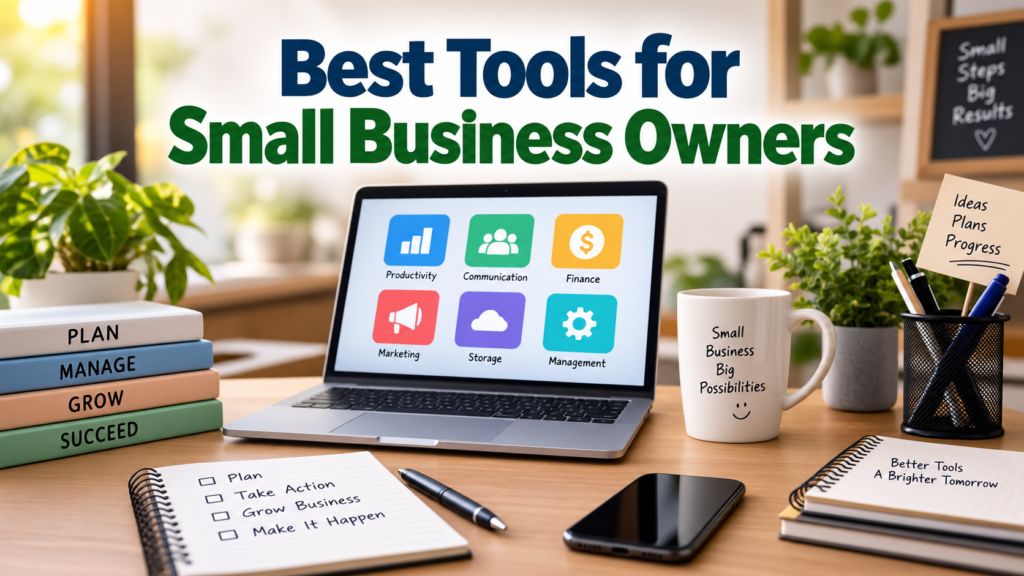
The best tools for small business owners are the ones that make everyday work simpler. Project management tools can organize tasks, accounting software can help manage finances, cloud storage can protect and organize files, while communication and CRM tools can improve customer relationships.
From my point of view, technology should support the business rather than become the business. Start with the areas where you are losing the most time and choose tools that solve those specific problems.
You do not need to transform your entire business overnight. Start with one or two useful tools, learn how they fit into your workflow, and gradually improve your system.
When your business tools are organized properly, you can spend less time dealing with repetitive administrative work and more time focusing on customers, products, services, and growth.