adsenservice
Related Articles



Writing a blog post can take a lot of time when I have to handle everything myself. Finding ideas, researching topics, creating an outline, writing paragraphs, checking grammar, optimizing for search engines, and preparing the final post can easily turn into a full day of work.
Over time, I have found that the right writing tools can make this process much faster. The goal is not to let tools do all the work. Instead, I use them to reduce repetitive tasks and keep my writing process organized.
There are many tools available today for bloggers and content creators. Some help with writing, while others are better for research, editing, keyword planning, organization, or SEO. In this article, I will share the types of tools I find useful and explain how they can help you write blog posts faster without sacrificing quality.
Why Use Writing Tools for Blog Posts?
Writing faster does not mean rushing your content. For me, writing faster means spending less time on tasks that do not require much creativity.
For example, searching through multiple notes to find an idea can waste time. Manually checking every sentence for grammar mistakes can also slow down the process. A useful writing tool can help with these tasks so I can spend more time focusing on the actual message of the article.
The best writing tools can help you organize your thoughts, create better outlines, improve sentences, find content opportunities, and review your finished article.
AI Writing Tools
AI writing tools have become useful for brainstorming and developing content ideas. They can help generate topic suggestions, create outlines, explain difficult concepts, and provide alternative ways to express an idea.
I find AI tools particularly helpful when I know what I want to write about but do not know how to structure the article.
For example, you can ask an AI writing assistant:
“Create an outline for a beginner friendly article about improving WiFi speed. Include common causes, practical solutions, and frequently asked questions.”
This can give you a starting structure within seconds.
However, I would not recommend publishing AI generated content without reviewing and improving it. Your own knowledge, examples, experience, and research are what make an article more useful and authentic.
Google Docs for Simple Blog Writing
Google Docs is one of the simplest tools for writing blog posts.
One reason I like a simple editor is that it keeps me focused on writing instead of unnecessary features. Google Docs also makes it easy to organize drafts, edit documents, and access your work from different devices.
You can create separate folders for article ideas, drafts, completed articles, and research notes. This simple organization can save considerable time when you publish regularly.
Another useful feature is collaboration. If someone needs to review your article, you can share the document instead of sending multiple versions by email.
Grammarly for Editing
Grammar and spelling mistakes can make even a useful article look unprofessional. Grammarly can help identify grammar, spelling, punctuation, clarity, and style issues.
I like using grammar checking tools after completing the first draft. When I am writing, I prefer focusing on the ideas instead of stopping every few sentences to correct small mistakes.
After finishing the article, I can review suggestions and decide which changes actually improve the writing.
It is important to remember that writing suggestions are not always perfect. I recommend reading every suggested correction and making the final decision yourself.
Hemingway Editor for Readability
The Hemingway Editor can help identify complicated sentences and readability problems.
This is useful when writing blog posts for a general audience. A sentence can be grammatically correct but still difficult to understand.
For example, if a paragraph contains several long sentences, breaking them into shorter sections can make the article easier to read.
I believe readability is especially important for online content because many readers scan articles instead of reading every word. Clear headings, short paragraphs, and simple sentences can make a major difference.
Notion for Content Planning
Notion can be useful if you publish a lot of content.
Instead of keeping ideas in random documents or notes, you can create a content database. You might include columns for topic, keyword, search intent, status, publishing date, and notes.
For example, your workflow could include:
Content idea
Research
Outline
Writing
Editing
SEO review
Ready to publish
Published
Having a visual system makes it easier to understand what needs to be done next.
Keyword Research Tools
Writing a good article is important, but I also want people to be able to find it. This is where keyword research tools can help.
Keyword tools can provide information about search terms, related topics, questions, and potential content opportunities.
Popular SEO platforms include tools such as Ahrefs and Semrush.
I recommend using keyword research as a guide rather than trying to force keywords into every sentence.
For example, if your primary keyword is “blog writing tools,” you can naturally include it in the title, introduction, headings, and relevant sections. The article should still sound natural.
Google Search for Research
Sometimes the simplest tools are still the most useful. Google can help you understand what people are searching for and what information is already available.
Before writing an article, I often recommend searching the main topic and looking at related questions. This can reveal common concerns that should be addressed in your article.
Research can also help you identify gaps. If existing articles explain a topic but do not provide enough practical examples, you can make your article more useful by addressing those missing areas.
The important thing is to use research for understanding, not copying.
Trello for Managing Content
Trello can be helpful for bloggers who prefer a visual workflow.
You can create columns such as Ideas, Research, Writing, Editing, and Published. Each article can become a card that moves through the workflow.
This approach is particularly useful when managing several blog posts at the same time.
Instead of asking yourself what you should work on next, you can simply look at your board and choose the next task.
Canva for Blog Graphics
A blog post often needs more than text. Images can make an article more attractive and easier to understand.
Canva can help create featured images, simple illustrations, social media graphics, and other visual content.
I recommend keeping blog graphics clean and relevant. The purpose of an image should be to support the article rather than distract the reader.
For a WordPress website, creating a consistent featured image style can also make your website look more professional.
Use Templates to Save Time
One of the easiest ways to write blog posts faster is to create templates.
Instead of starting every article from a completely blank page, create a basic structure that you can reuse.
A simple blog template could include:
Introduction
Main problem
Why the problem happens
Practical solutions
Tips and best practices
Common questions
Final thoughts
You can adjust the sections depending on the topic.
Templates reduce decision making and help you move directly into writing.
Combine Tools Instead of Depending on One
I do not think there is one perfect tool for every part of blogging. Different tools are useful for different tasks.
For example, I might use an AI assistant for brainstorming, Google Docs for drafting, Grammarly for editing, a keyword research platform for SEO research, and Canva for graphics.
The important thing is to create a workflow that feels comfortable.
Using too many tools can actually make writing slower. If you constantly move between different platforms, you may spend more time managing tools than creating content.
Start with the tools that solve your biggest problems and add others only when you need them.
Create a Faster Blog Writing Workflow
A simple workflow can make a huge difference.
First, choose a topic and identify the main keyword. Then research the subject and collect useful information. After that, create an outline before starting the full article.
Once the outline is ready, write the first draft without trying to make every sentence perfect.
After completing the draft, edit the content for clarity and grammar. Then review the article for SEO, readability, accuracy, and usefulness.
Finally, prepare your featured image and publish the article.
This process separates writing from editing, which can help you work more efficiently.
Final Thoughts
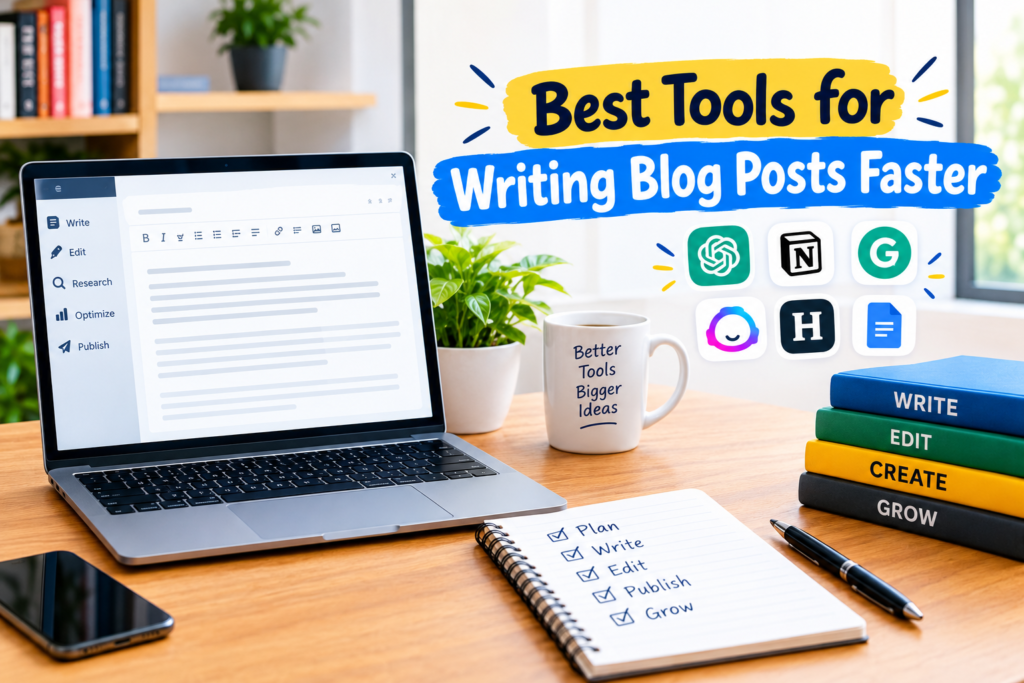
The best tools for writing blog posts faster are the ones that remove unnecessary work from your writing process. AI writing assistants can help with brainstorming and outlines. Google Docs can keep your drafts organized. Grammarly and Hemingway Editor can help improve readability and correctness. Notion and Trello can organize your content workflow, while keyword research tools can support your SEO strategy.
From my point of view, tools should support your writing rather than replace your knowledge and judgment. A fast workflow is valuable, but quality should always remain important.
Start with two or three tools that solve your biggest challenges. Once your workflow becomes comfortable, you can add more tools when they genuinely save time.
With a clear process, reusable templates, good research, and the right writing tools, creating high quality blog posts can become much faster and more manageable.