adsenservice
Related Articles


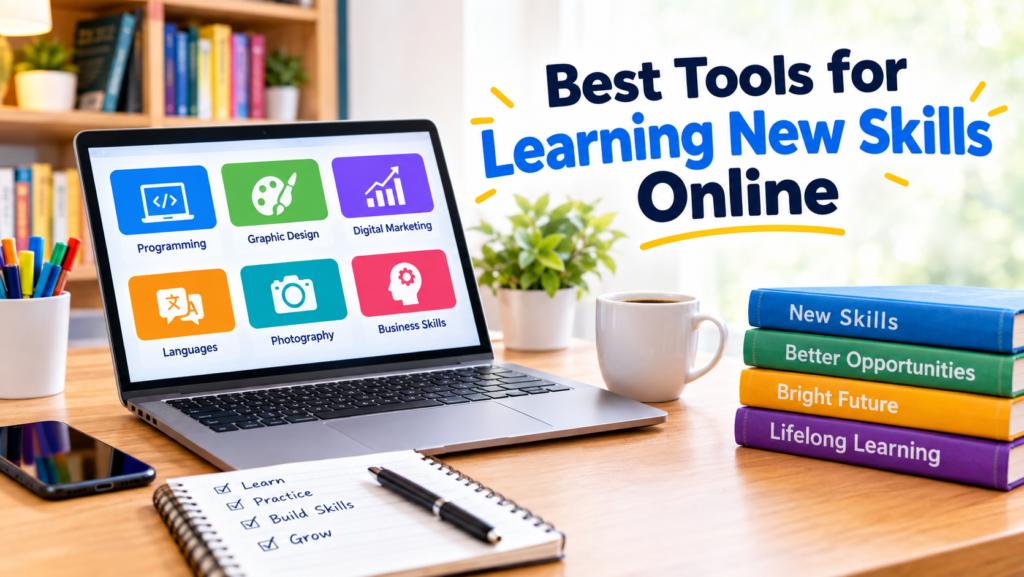
Learning a new skill has become much easier because of the internet. In my view, one of the biggest advantages of online learning is that you are no longer limited to a classroom, a local teacher, or a fixed schedule. You can learn programming, graphic design, digital marketing, photography, writing, languages, business, or almost any other skill from home.
However, having access to thousands of courses and learning resources can also create a problem. There are so many options that it can become difficult to decide which tools are actually worth using. I have found that the best approach is not to collect as many learning platforms as possible. Instead, it is better to choose a few useful tools that match your learning style and then use them consistently.
In this article, I will discuss some of the best tools for learning new skills online and explain how each type of tool can help you learn more effectively.
Online Course Platforms
Online course platforms are one of the easiest places to start when learning a new skill. They provide structured lessons that usually follow a clear path from beginner concepts to more advanced topics.
Platforms such as Coursera, Udemy, LinkedIn Learning, and edX offer courses covering a wide range of subjects. You can find courses related to technology, business, creative skills, communication, marketing, and many other areas.
What I like about structured courses is that they give you a learning path. Instead of searching for random videos every day, you can follow lessons in a logical order.
When choosing an online course, I recommend checking the course description, curriculum, reviews, instructor information, and level before starting. A popular course is not automatically the right course for you.
YouTube for Free Learning
YouTube is one of the most useful free tools for learning new skills online. There are thousands of educational channels covering almost every subject imaginable.
I personally think YouTube is particularly useful when you want a quick explanation of a specific concept. If you are learning a software program and become stuck on one feature, you can often find a short tutorial that explains exactly what you need.
The downside is that YouTube does not always provide a structured learning path. You may watch one excellent video and then jump to another unrelated topic.
A good strategy is to use YouTube alongside a structured course. Use the course for your main learning path and YouTube when you need additional explanations or practical demonstrations.
AI Tools for Personalized Learning
AI tools have introduced another useful way to learn online. Instead of searching for a general explanation, you can ask an AI assistant to explain something according to your current level.
For example, you can ask:
“Explain Python programming to me as a complete beginner. Use simple examples and teach one concept at a time.”
You can also ask questions about topics that you do not understand, request practice exercises, create quizzes, or ask for examples from real life.
I find AI especially helpful when a traditional explanation does not make sense. You can ask the same question in several different ways until you understand the concept.
Still, I recommend verifying important information through reliable sources, especially when studying subjects where accuracy matters.
Digital Note Taking Tools
Taking notes is an important part of learning. Simply watching a course or reading an article does not guarantee that you will remember what you learned.
Digital note taking tools such as Notion, OneNote, Google Docs, and similar applications can help you organize your learning materials.
You can create separate sections for different skills and store important concepts, useful links, examples, questions, and personal observations.
For example, if you are learning digital marketing, you could create pages for search engine optimization, content marketing, social media marketing, email marketing, and analytics.
The important thing is not to copy everything you hear. I prefer writing notes in my own words because this forces me to think about what I have learned.
Flashcard Tools for Memorization
Some skills require memorizing information. Learning a language, studying terminology, remembering programming concepts, or preparing for an exam can all benefit from flashcards.
Tools such as Anki and other flashcard applications can help you review information repeatedly.
The basic idea is simple. You see a question or term and try to remember the answer before checking it.
This method can be especially useful when combined with spaced repetition. Instead of reviewing everything every day, you spend more time on information you find difficult and less time on information you already know.
Language Learning Apps
Learning a new language online is easier when you combine several types of practice.
Apps such as Duolingo and similar language learning platforms can help beginners build vocabulary and develop basic language habits. Other resources can help with listening, speaking, grammar, and conversation.
In my experience, learning a language requires more than memorizing words. You need to hear the language, read it, write it, and eventually use it in conversations.
A language learning app can provide structure, but real practice is what turns knowledge into a usable skill.
Coding Practice Platforms
If you want to learn programming, watching tutorials alone is not enough. You need to write code and solve problems yourself.
Platforms such as freeCodeCamp, Codecademy, and other coding practice websites can provide interactive exercises that allow you to learn by doing.
I strongly recommend practicing immediately after learning a new programming concept. If you watch a lesson about loops, for example, try writing your own small program using loops.
Making mistakes is part of programming. In fact, debugging those mistakes can teach you more than simply watching someone else write perfect code.
Design and Creative Learning Tools
Creative skills such as graphic design, video editing, photography, and illustration require both knowledge and practice.
Online tutorials can teach you the fundamentals, while design software gives you a place to apply them.
Tools such as Canva can be useful for beginners who want to learn basic visual design. More advanced learners may choose professional design or editing applications depending on their goals.
I believe creative skills improve fastest when you create actual projects. Instead of only watching tutorials, try designing a poster, editing a short video, creating a social media graphic, or building a simple portfolio.
Project Management and Productivity Tools
When learning a new skill, staying organized can be just as important as finding good educational content.
Tools such as Trello, Notion, Google Calendar, and task management applications can help you create a simple learning schedule.
For example, instead of setting a vague goal such as “learn web development,” create smaller goals such as learning HTML basics, practicing CSS, building a simple webpage, learning JavaScript fundamentals, and creating a small project.
Breaking a large goal into smaller tasks makes progress easier to see.
Online Communities and Discussion Forums
Learning does not always have to happen through courses. Online communities can also be valuable.
Discussion forums, professional communities, and social platforms can help you ask questions, share projects, receive feedback, and learn from other people.
When I am learning something new, seeing how other people solve problems can provide perspectives that a course may not cover.
However, it is important to consider the quality of information you receive online. Not every comment or answer is correct, so check important claims against reliable sources.
Online Books and Educational Resources
Books remain useful even in an online learning environment. Digital libraries, ebooks, educational websites, and documentation can provide detailed information that short videos sometimes cannot.
For technical subjects, official documentation can be particularly valuable because it provides information directly from the organization or developers responsible for a product or technology.
I recommend using different types of resources rather than depending entirely on one source. A video may help you understand an idea, while documentation can help you learn the exact details.
How to Choose the Right Learning Tool
The best learning tool depends on your goal.
If you need a structured learning path, an online course may be a good starting point. If you need a quick explanation, YouTube or an AI assistant may be more convenient. If you need practice, interactive platforms are usually more useful than passive content.
You should also consider your budget, available time, current skill level, and preferred learning style.
Most importantly, avoid constantly switching platforms. It is easy to spend more time searching for the perfect course than actually learning.
Choose a reasonable resource, create a simple plan, and start practicing.
Combine Learning With Real Projects
One of the most important lessons I have learned is that consuming information is not the same as developing a skill.
If you want to learn writing, write regularly. If you want to learn coding, build programs. If you want to learn graphic design, create designs. If you want to learn photography, take photographs.
Projects give you a reason to use what you have learned. They also reveal the areas where you still need improvement.
Even a small personal project can make a significant difference because it turns theoretical knowledge into practical experience.
Create a Simple Online Learning Routine
You do not need to spend five hours every day learning a new skill. Consistency is usually more realistic.
For example, you could spend 30 minutes learning a concept, 30 minutes practicing it, and another 10 minutes reviewing your notes.
The exact schedule is less important than creating a routine that you can maintain.
I also recommend tracking your progress. Write down what you learned, what you practiced, and what you want to learn next. After a few weeks, you will have a clear record of your progress.
Final Thoughts
The best tools for learning new skills online are not necessarily the most expensive or popular ones. The right tools are the ones that help you understand information, practice consistently, receive feedback, and apply your knowledge to real projects.
Online course platforms can provide structure, YouTube can provide free explanations, AI tools can offer personalized help, note taking apps can organize information, and practice platforms can turn knowledge into practical skills.
From my point of view, the most effective approach is to combine a few of these tools instead of relying on one platform for everything. Choose a skill, define a realistic goal, select useful learning resources, and start practicing.
The internet provides an enormous amount of educational information. The real advantage comes when you turn that information into consistent action. With the right tools and a simple learning routine, you can gradually develop valuable skills from almost anywhere.