adsenservice
Related Articles



Artificial intelligence has become part of everyday digital life. There are now AI tools for writing, designing, image creation, video editing, coding, research, productivity, marketing, education, and many other tasks. With so many choices available, finding the right AI tool can sometimes feel more difficult than actually using one.
In my opinion, choosing an AI tool should not be based only on popularity. A tool may be excellent for one task but completely unnecessary for another. The best AI tool for you depends on what you want to accomplish, how often you plan to use it, your budget, and how comfortable you are with technology.
In this guide, I will explain how to choose the right AI tool and what I personally think you should consider before spending money or committing to a particular platform.
Understand What You Need First
Before searching for an AI tool, the first thing I recommend is identifying the exact problem you want to solve.
For example, if you want help writing blog posts, you need an AI writing tool. If you want to create pictures from text descriptions, you need an AI image generation tool. If your goal is to analyze large amounts of information, a research or data analysis tool may be more appropriate.
It is easy to become distracted by tools that offer dozens of features. However, having many features does not automatically make a tool useful.
I would start by asking myself one simple question: “What do I actually need this AI tool to do?”
Once you have a clear answer, comparing different options becomes much easier.
Decide Which Type of AI Tool You Need
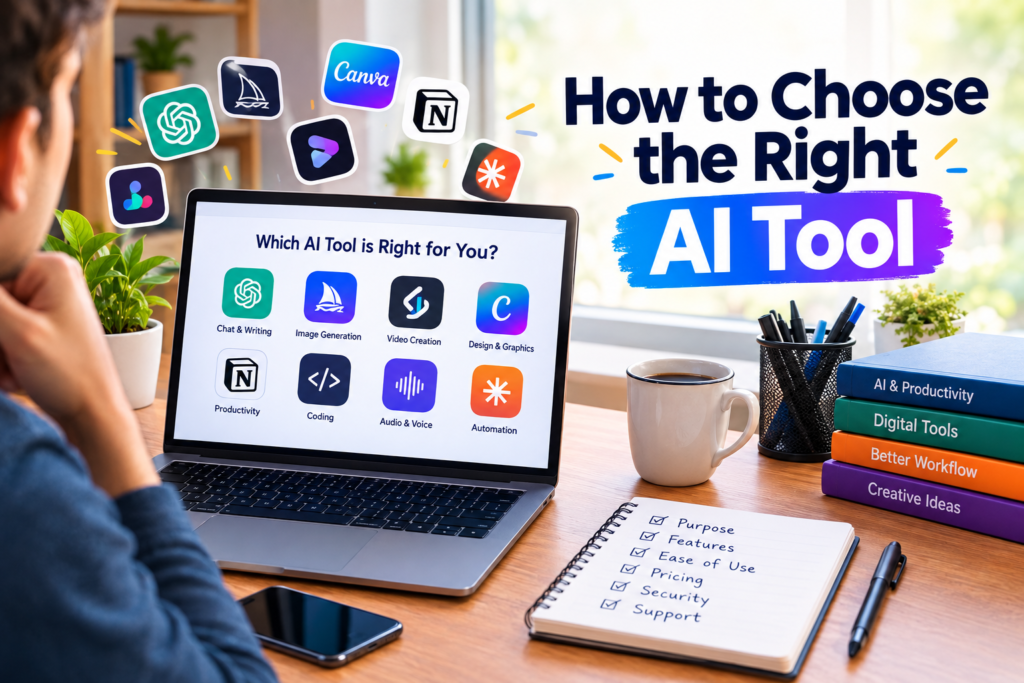
AI tools are available in many categories. Understanding these categories can help narrow down your options.
AI writing tools can help with articles, emails, summaries, ideas, and other written content.
AI image tools can generate illustrations, graphics, concepts, and visual content from written prompts.
AI video tools can assist with video generation, editing, captions, animation, and other video tasks.
AI coding tools can help developers write, explain, debug, and improve code.
AI productivity tools can help with organization, notes, meetings, planning, and repetitive tasks.
AI research tools can help users collect, organize, and understand information.
There are also AI tools designed for audio, presentations, marketing, customer service, education, and business automation.
Choosing the correct category first can save a lot of time.
Check the Main Features
After identifying the category, compare the features that actually matter to you.
For example, someone looking for an AI writing tool may care about writing quality, editing capabilities, language support, document length, and ease of use.
Someone choosing an AI image generator may care more about image quality, creative control, available styles, editing options, and generation speed.
I recommend making a small list of your most important features before comparing tools. This prevents you from choosing something simply because it has an impressive website or a long list of features.
Focus on features that you are genuinely going to use.
Consider Ease of Use
An AI tool can have excellent technology and still be frustrating if it is difficult to use.
When I try a new tool, I pay attention to how quickly I can understand its interface. Are the important features easy to find? Is the process straightforward? Can I get useful results without spending hours learning complicated settings?
Beginners may prefer a simple interface, while experienced users may want advanced controls.
There is no universal answer here. The right AI tool should match your own level of experience and the amount of control you want.
Look at the Quality of Results
Features are important, but the final output matters even more.
An AI tool may advertise many capabilities, but if the results are not useful for your particular task, those features do not provide much value.
I recommend testing a few tools with the same task whenever possible. Use similar prompts or instructions and compare the results.
For writing tools, compare clarity and accuracy.
For image tools, compare visual quality and how well they follow your prompts.
For coding tools, test how accurately they understand your requirements.
Testing with your real use case gives you a much better idea of whether a tool is suitable.
Check Pricing Before You Commit
Price is another important factor when choosing an AI tool.
Some AI tools offer free plans, while others require monthly or annual subscriptions. Free plans can be useful for occasional users, while paid plans may provide higher limits, additional features, faster processing, or access to more advanced models.
I would not immediately subscribe to the most expensive plan.
First, determine how frequently you will use the tool. If you only need it occasionally, a free option may be enough. If you use it every day for work, a paid plan may provide more value.
Also check exactly what is included in each plan. A low monthly price may come with strict usage limits, while a more expensive plan may offer features that you actually need.
Check Usage Limits
Usage limits can be easy to overlook.
Some AI services limit the number of requests, images, videos, or other operations you can perform during a certain period.
If you plan to use an AI tool heavily, these limits can become important.
For example, someone creating many images every day will have different requirements from someone generating a few images each month.
Before subscribing, check the limits and determine whether they fit your expected usage.
Think About Privacy
Privacy should also be part of the decision.
When using an AI service, you may provide text, documents, images, business information, or other data. Before uploading sensitive material, understand how the service handles your information.
I recommend checking the provider’s privacy information and terms before using an AI tool for confidential work.
For personal experimentation, privacy requirements may be different from those of a business handling customer or company information.
The important point is to understand what you are sharing and where it is going.
Check Compatibility With Your Workflow
The best AI tool is often the one that fits naturally into the way you already work.
For example, if you regularly create documents, an AI tool that works smoothly with your document workflow may save more time than a tool with many unrelated features.
If you manage a website, integrations with your existing software may be valuable.
If you work with a team, collaboration features may matter.
Think about what happens before and after you use the AI tool. A tool that fits into your complete workflow can be much more useful than one that simply produces impressive results on its own.
Look for Integrations
Integrations can make an AI tool significantly more useful.
Some platforms can connect with document services, calendars, project management systems, communication platforms, design software, or other applications.
For example, an AI productivity tool that can work with your existing documents may save you from copying information between different platforms.
However, I would not choose a tool simply because it supports many integrations. The integrations should be relevant to your actual workflow.
Check Language Support
Language support is particularly important for users who communicate in multiple languages.
Before choosing an AI tool, check whether it supports the language you use and whether the quality is good enough for your needs.
Some tools may support dozens of languages but perform better in certain languages than others.
If you regularly create content in more than one language, test the tool with real examples before relying on it.
Consider Speed and Reliability
Speed can make a noticeable difference when you use an AI tool frequently.
If a tool takes a long time to respond or regularly experiences service interruptions, it can affect your workflow.
For occasional use, a small delay may not matter much. For professional work, however, reliability can become much more important.
I recommend testing a tool during normal working conditions rather than judging it from a single successful experience.
Read Reviews Carefully
Reviews can be helpful when researching AI tools, but I recommend reading them carefully.
Look for reviews that discuss actual use rather than simply repeating marketing claims.
Pay attention to comments about usability, output quality, pricing, customer support, limitations, and reliability.
It is also useful to look at reviews from people who have similar requirements to yours. A professional designer may judge a tool differently from a student or casual user.
Try Before You Buy
Whenever a free trial or free version is available, use it before paying.
This is one of the simplest ways to determine whether an AI tool is right for you.
Give it a few realistic tasks instead of only trying the easiest example. Test the features you are most likely to use.
If the tool performs well and fits your workflow, you can then consider upgrading.
There is no need to subscribe immediately just because a tool looks impressive.
Do Not Choose a Tool Only Because It Is Popular
Popularity can be useful, but it should not be the deciding factor.
A widely used AI tool may be excellent, but your requirements may be different from those of other users.
For example, a popular general purpose AI tool may not be the right choice if you need specialized video editing or advanced design capabilities.
I prefer to think about the job first and the tool second.
The question should not be “Which AI tool is the most popular?”
Instead, ask “Which AI tool can solve my specific problem effectively?”
Think About Long Term Value
If you plan to use an AI tool regularly, think beyond the first few days.
Consider whether the company continues to improve the service, whether new features are added, and whether the pricing makes sense for your long term needs.
You should also consider whether the tool helps you save time or improve your work enough to justify its cost.
A tool that saves you several hours each month may provide meaningful value even if it has a subscription fee.
Start Small and Expand
You do not need to use ten different AI tools at once.
In fact, using too many platforms can make your workflow more complicated.
I recommend starting with one tool that solves your most important problem. Learn how it works and understand its strengths and limitations.
Once you become comfortable, you can add specialized AI tools when there is a genuine need.
This approach keeps your workflow organized and prevents unnecessary subscriptions.
Final Thoughts
Learning how to choose the right AI tool is mostly about understanding your own requirements. There is no single AI tool that is perfect for everyone.
Start by identifying the task you want to complete. Then compare the available features, output quality, pricing, usage limits, privacy practices, integrations, language support, speed, and ease of use.
I believe the best AI tool is not necessarily the one with the longest feature list. It is the one that solves your problem, fits your workflow, provides reliable results, and offers reasonable value for the way you use it.
Take advantage of free trials when available, test tools using real tasks, and avoid paying for features you do not need. With a little research, you can find an AI tool that genuinely makes your work easier instead of simply adding another application to your daily routine.