adsenservice
Related Articles
Graphic design has become much easier with the help of artificial intelligence. In the past, creating a good social media post, presentation graphic, YouTube thumbnail, business flyer, or simple logo often required advanced design skills. Today, AI graphic design tools can help beginners create attractive designs with much less effort.
From my experience, the biggest advantage of AI design tools is that they reduce the time between having an idea and turning that idea into a finished design. You do not always need to understand complicated layers, typography rules, or advanced editing techniques. With the right AI tool, you can start with a simple idea and improve the result as you go.
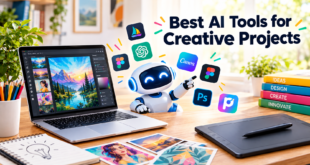
There are many AI graphic design tools available, but they are not all designed for the same purpose. Some are better for social media graphics, while others are useful for presentations, image editing, branding, or creative projects. In this article, I will discuss some of the best AI tools for simple graphic design and explain what makes each one useful.
Why Use AI Tools for Graphic Design?
The main reason I recommend AI graphic design tools for beginners is simplicity. Traditional graphic design software can have hundreds of features, and learning everything can take considerable time. AI tools can automate many small tasks and help users focus more on their ideas.
AI can suggest layouts, generate images, remove backgrounds, improve photographs, resize designs, recommend fonts, and sometimes create an entire design from a short description.
Another advantage is speed. If I need a simple graphic for a blog post or social media page, I do not want to spend hours creating everything from the beginning. An AI powered design tool can provide a starting point within minutes.
However, I still believe that human creativity is important. AI can create suggestions, but the final design should reflect your purpose, audience, and personal style.
Canva
Canva is one of the most accessible options for simple graphic design. It is especially useful for beginners who want to create social media posts, presentations, posters, thumbnails, flyers, and blog graphics.
One feature I particularly like about Canva is its large collection of templates. Instead of starting with a blank page, you can choose a suitable design and customize it. Its AI features can also help with generating content and creating design ideas.
For someone who has little experience with graphic design, Canva can make the learning process much easier. You can experiment with fonts, colors, images, shapes, and layouts without needing professional design knowledge.
I would consider Canva a practical choice for bloggers, students, small businesses, content creators, and anyone who needs simple designs regularly.
Adobe Express
Adobe Express is another useful option for people who want simple graphic design without dealing with the complexity of professional design software.
It provides templates for social media graphics, posters, advertisements, presentations, and other visual content. Its AI features can help users generate creative content and make certain editing tasks easier.
What I like about Adobe Express is that it combines a relatively simple interface with tools from the Adobe ecosystem. This makes it useful for people who want more creative control while still keeping the design process straightforward.
If you are already familiar with Adobe products, Adobe Express can also feel comfortable to use.
Microsoft Designer
Microsoft Designer is designed around AI assisted visual creation. It can help users create graphics from text descriptions and customize the resulting designs.
For example, you can describe the type of graphic you want and use the generated result as a starting point. You can then change the text, images, colors, and other elements.
I find this approach particularly useful when I have an idea but do not know exactly how I want the layout to look. Instead of trying to build the design from scratch, AI can provide several ideas that I can adjust.
Microsoft Designer can be useful for social media content, invitations, announcements, posters, and other everyday design projects.
Adobe Firefly
Adobe Firefly focuses heavily on generative AI for creative work. It can generate images and visual elements from text descriptions and can be useful when you need original visual material for a design.
For simple graphic design, the ability to create custom visual elements can save time. Instead of searching through numerous stock images, you can describe the type of visual you need and create something specifically suited to your project.
One important point is that AI generated images should still be reviewed carefully. Sometimes an image may not match the exact idea you had in mind, so editing and refinement are usually necessary.
For creative projects where original imagery matters, Firefly can be an interesting option.
Figma
Figma is widely known as a collaborative design platform, and its AI capabilities can make certain design tasks easier. It is particularly useful when multiple people are working on the same project.
For simple graphic design, Figma can be useful for creating layouts, interface designs, presentations, prototypes, and other visual projects. Its collaborative nature is one of its biggest strengths.
I would not describe Figma as the simplest tool for every complete beginner, but it becomes very useful once you want more control over your layouts and design structure.
If your goal is to learn more about design while using AI to speed up repetitive tasks, Figma is worth exploring.
Picsart
Picsart combines photo editing, graphic design, and AI powered creative features in one platform. It is especially useful for people who enjoy creating visual content for social media.
You can edit photos, remove backgrounds, add effects, create collages, and experiment with AI generated content. Its wide range of creative features means you can handle many everyday design tasks without switching between different applications.
From my point of view, Picsart is particularly useful for content creators who work heavily with photographs and social media graphics.
Looka
Looka is focused more specifically on branding and logo creation. It can help users generate logo concepts based on information about a business or brand.
Creating a professional logo from scratch can be difficult for someone without design experience. AI logo tools can provide several ideas that help you understand possible styles, colors, and layouts.
I would use a tool like Looka mainly for inspiration and early branding ideas. A generated logo should still be reviewed carefully before being used as the main identity of a business.
Ideogram
Ideogram is another AI image generation platform that can be useful when creating visual concepts. One area where AI image generators can be helpful is when you need a creative image for a poster, social media graphic, or visual concept.
The main benefit is the ability to describe an idea using natural language instead of manually drawing every element.
For simple projects, this can make experimentation much faster. You can try different descriptions and then choose an image that fits your design.
How to Choose the Right AI Graphic Design Tool
Choosing the right AI design tool depends on what you actually want to create.
If you mainly need social media posts, blog graphics, presentations, or simple promotional designs, a beginner friendly platform such as Canva can be a practical starting point.
If you want AI generated images, tools such as Adobe Firefly or Ideogram may be more relevant.
For branding and logo concepts, Looka can be useful.
For collaborative design projects and more structured layouts, Figma may be a better fit.
I recommend starting with one tool instead of trying to learn every platform at the same time. Once you understand basic design principles, moving between different AI tools becomes much easier.
Tips for Better AI Graphic Design
Using AI does not automatically guarantee a good design. The quality of your instructions and your editing decisions still matter.
First, clearly describe what you want. Instead of saying “make a business graphic,” explain the subject, style, audience, and purpose.
Second, keep your design simple. Too many colors, fonts, images, and decorative elements can make a graphic difficult to understand.
Third, make sure the text is easy to read. A beautiful background is not useful if people cannot clearly see the message.
Fourth, maintain consistency. If you are creating content for a website or business, try to use similar colors, fonts, and visual styles across different graphics.
Finally, always review the final design before publishing it. AI generated content can sometimes contain mistakes or visual details that need correction.
AI Tools Are Changing Simple Graphic Design
I believe AI has made graphic design much more accessible. Someone who has never used professional design software can now create useful visual content with relatively little experience.
The best AI graphic design tools do not necessarily replace creativity. Instead, they can act as assistants. They can provide ideas, automate repetitive work, and help beginners move forward when they do not know where to start.
For everyday projects, I would focus on tools that are easy to understand and offer enough flexibility for your needs. There is no need to choose the most complicated platform simply because it has more features.
Final Thoughts
The best AI tools for simple graphic design can save time and make visual creation easier for beginners, bloggers, students, marketers, and small businesses. Canva, Adobe Express, Microsoft Designer, Adobe Firefly, Figma, Picsart, Looka, and Ideogram each offer different approaches to AI assisted design.
In my opinion, the most important thing is not simply choosing an AI tool. It is learning how to use that tool creatively. Start with simple projects, experiment with different layouts, improve your prompts, and always make your own final adjustments.
AI can give you a strong starting point, but your ideas and decisions are what turn a basic generated design into something useful and personal.