adsenservice
Related Articles



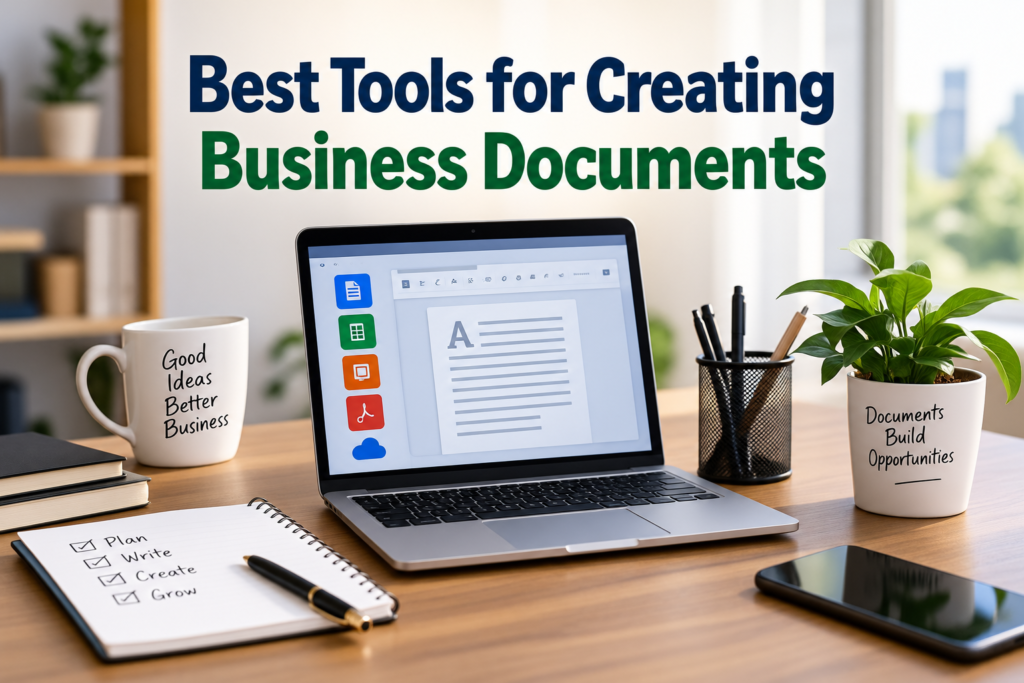
Creating professional business documents is an important part of almost every modern workplace. Whether I am preparing a business proposal, writing a report, creating an invoice, making a presentation, or sharing a simple company letter, the right document tool can make the whole process much easier.
In my experience, choosing the best tools for creating business documents is not only about finding software with many features. A good tool should be simple to use, reliable, easy to share, and suitable for the type of document I need to create. It should also help me maintain a professional appearance without requiring advanced design skills.
Today, there are many business document tools available for individuals, small businesses, freelancers, and large companies. Some focus mainly on word processing, while others are designed for spreadsheets, presentations, templates, PDF documents, or online collaboration.
In this article, I will explain some of the most useful tools for creating business documents and what makes each type of tool valuable.
Why Business Document Tools Are Important
Business documents represent a company or professional in many situations. A poorly formatted proposal or confusing report can make communication difficult, while a well organized document can make information easier to understand.
The right business document software can help with formatting, editing, collaboration, templates, file management, and document sharing. Instead of spending hours adjusting fonts, spacing, tables, and layouts manually, I can use built in features to create a cleaner document in less time.
Another major advantage is consistency. Businesses often create many documents with similar layouts. Using templates and reusable designs makes it easier to maintain a consistent professional appearance.
Microsoft Word
Microsoft Word remains one of the most widely used tools for creating business documents. It is useful for letters, reports, proposals, contracts, meeting notes, resumes, policies, and many other types of professional documents.
One thing I like about Word is the large number of formatting options. I can create headings, tables, page numbers, headers, footers, lists, and references without needing complicated design software.
Word also supports templates, which can save considerable time. Instead of starting every document from an empty page, I can select a suitable template and customize it according to my needs.
Another useful feature is its compatibility with common document formats. This makes it practical when working with clients, colleagues, or organizations that already use Microsoft Office.
For businesses that regularly create detailed documents, Microsoft Word is still a practical choice.
Google Docs
Google Docs is another excellent option for business document creation, especially for people who prefer working online.
One of its biggest advantages is collaboration. Multiple people can work on the same document, leave comments, suggest changes, and review edits. This can be extremely useful when a document needs input from different team members.
Google Docs also saves work automatically, which reduces the risk of losing changes because of an unexpected computer problem.
I also find cloud based document access useful because documents can be opened from different devices as long as I have access to the account and internet connection.
Google Docs is particularly useful for remote teams, freelancers, students working on business projects, and small businesses that want a simple document creation solution.
Microsoft Excel
Although Excel is mainly known as a spreadsheet application, it is an important tool for creating many types of business documents.
Businesses can use Excel to prepare budgets, financial reports, invoices, sales records, inventory documents, schedules, and data summaries.
The major advantage of Excel is its ability to work with numbers and structured information. Formulas, functions, tables, charts, and sorting features make it easier to organize business data.
For example, instead of writing a financial report manually, I can use spreadsheet formulas to calculate totals and then create charts that make the information easier to understand.
Excel is especially useful when a business document contains a significant amount of numerical information.
Google Sheets
Google Sheets provides many of the same basic advantages as Excel while focusing strongly on online collaboration.
It can be used to create budgets, sales reports, financial records, project trackers, schedules, and other business documents involving structured data.
The ability to share a spreadsheet with other people makes it useful for teams. Several users can work on information together instead of sending different versions of the same file through email.
For small businesses and remote teams, Google Sheets can be a convenient way to manage business information while keeping documents accessible online.
Microsoft PowerPoint
Business communication is not always based on written reports. Sometimes information needs to be presented visually, and this is where PowerPoint becomes useful.
PowerPoint can be used to create business presentations, sales presentations, training material, project updates, company introductions, and meeting presentations.
I find presentation templates particularly useful because they provide a starting point for creating professional slides. Images, charts, tables, icons, and diagrams can then be added to explain information more clearly.
A good business presentation should not contain too much text. The purpose of PowerPoint is to support communication with visual information rather than simply placing a complete report onto slides.
Google Slides
Google Slides is another useful business presentation tool. Like Google Docs and Google Sheets, it provides online collaboration.
Teams can work together on presentations, add comments, make changes, and review the final result before presenting it.
Google Slides can be especially helpful when employees work from different locations. Instead of exchanging presentation files repeatedly, everyone can work from the same online document.
It is also useful for creating simple presentations without requiring advanced design experience.
Canva
Canva has become a popular option for creating visually attractive business documents. It is particularly useful when design is an important part of the document.
I can use Canva to create brochures, business proposals, presentations, flyers, company documents, social media graphics, and other professional materials.
One of its strongest features is its template library. Templates provide layouts that can be customized with business colors, logos, text, images, and other elements.
Canva can be a good choice for small businesses that want attractive documents without hiring a professional designer for every project.
However, for highly detailed text based documents, I would generally prefer a dedicated word processor.
Adobe Acrobat
PDF files are extremely common in business communication, and Adobe Acrobat is one of the well known tools for working with them.
PDF documents are useful when I want the layout of a document to remain consistent when it is opened on different devices.
Businesses often use PDFs for invoices, contracts, reports, forms, brochures, manuals, and official documents.
PDF software can also provide features for editing, combining, converting, signing, and organizing documents. These features can be useful when a business needs to send finalized documents to customers or partners.
Notion
Notion is another tool worth considering for business documentation. It combines document creation with organization and workspace features.
It can be used for internal company guides, meeting notes, project documentation, task information, business procedures, and knowledge bases.
One thing I find useful about this type of tool is that documents do not always have to exist as separate files. Information can be organized into connected pages and databases.
This can make Notion useful for teams that want to keep company knowledge organized in one central workspace.
Zoho Writer
Zoho Writer is a cloud based word processing tool designed for creating and managing documents online.
It provides features for writing, formatting, collaboration, templates, and document management. It can be useful for businesses that already use other Zoho products.
For small businesses looking for an online document solution, an integrated business software ecosystem can be convenient because different tools can work together.
Grammarly
Grammarly is not a complete business document creation platform, but it can be a helpful companion when writing professional documents.
Business writing needs to be clear and easy to understand. Grammar mistakes, unclear sentences, and awkward wording can reduce the quality of communication.
A writing assistant can help identify grammar, spelling, punctuation, and style issues. I find these tools particularly useful when preparing emails, proposals, reports, and other documents that will be sent to clients or business partners.
However, automated suggestions should always be reviewed because software does not always understand the exact meaning or context of a sentence.
How to Choose the Right Business Document Tool
Choosing the best business document software depends on what I need to create.
If I mainly write reports and letters, a word processor such as Microsoft Word or Google Docs may be enough.
If I work with numbers, budgets, or financial information, Excel or Google Sheets may be more appropriate.
For presentations, PowerPoint and Google Slides are practical options.
If visual design is important, Canva can provide useful templates and design features.
For finalized documents that need to be shared without changing the layout, PDF software can be valuable.
I also recommend considering collaboration features. If several people need to edit the same document, an online platform can make teamwork much easier.
Features I Look For in Business Document Software
When choosing a document creation tool, I normally look at several important features.
First, the software should be easy to use. Complicated software can waste time if I only need basic document creation.
Second, compatibility is important. A tool should support commonly used file formats so documents can be shared without unnecessary problems.
Third, collaboration features can be valuable for teams. Real time editing, comments, and version history can improve the workflow.
Fourth, templates can save time. A good template can provide a professional structure before I even begin writing.
Finally, security and backup features should not be ignored. Business documents can contain confidential information, so it is important to use reputable services and appropriate account security.
Final Thoughts
The best tools for creating business documents depend on the type of work being done. There is no single application that is perfect for every business situation.
For everyday writing, Microsoft Word and Google Docs are strong choices. For numerical information, Excel and Google Sheets can be extremely useful. PowerPoint and Google Slides work well for presentations, while Canva can help with visually focused business materials. PDF software is valuable for finalized documents, and tools such as Notion can help organize business knowledge.
From my point of view, the best approach is to choose tools based on the actual requirements of the business instead of simply selecting software because it has the largest number of features.
A good business document tool should save time, improve communication, support collaboration, and help create professional documents consistently. Once the right tools are selected, creating business documents becomes much simpler and more organized.