adsenservice
Related Articles



Making study notes is one of the most useful habits for students, but it can also take a lot of time. When I study a difficult topic, I do not want to write down every sentence from a textbook or lecture. I want to identify the important information and organize it in a way that makes revision easier later.
This is where the right note making tools can make a real difference. Today, students can choose from digital note taking apps, writing platforms, study tools, flashcard apps, and AI powered tools. Each option has different features, so the best tool depends on how you prefer to study.
In my experience, a good study notes tool should make information easier to organize, search, review, and understand. It should not make studying more complicated.
In this guide, I will discuss some of the best tools for making study notes and explain how I would use them for everyday studying.
Why Good Study Notes Matter
Good study notes are not simply a collection of information. They are a shorter and more organized version of what you have learned.
When notes are well organized, reviewing a chapter before an exam becomes much easier. Instead of reading an entire textbook again, you can review the key concepts, definitions, examples, and important points from your notes.
I also believe that making notes can improve understanding because you are actively processing the information instead of simply reading it.
The important thing is to create notes that work for you. A beautiful page is not very useful if you cannot understand it later.
Microsoft OneNote
Microsoft OneNote is one of the tools I would consider for students who want a flexible digital notebook.
It allows you to organize information into notebooks, sections, and pages. You can type notes, add images, write by hand on supported devices, and organize information according to different subjects.
For example, you can create separate sections for mathematics, science, English, and history. Within each section, you can create pages for individual chapters.
OneNote can be especially useful for students who want their notes available across different devices. Instead of carrying several notebooks, you can keep your study material digitally.
I also like the flexibility of combining typed information with handwritten notes and other study materials.
Notion
Notion has become popular among students because it can be used for much more than simple note taking.
You can create pages for subjects, chapters, assignments, study schedules, project information, and revision plans. Its flexible structure allows you to build a study system that matches your personal needs.
For example, I could create a main study dashboard and then add separate pages for each subject. Each subject could contain chapter notes, important questions, revision tasks, and useful resources.
Notion can be very useful if you enjoy organizing information in a structured way.
However, I recommend keeping things simple. It is easy to spend too much time designing a perfect study dashboard instead of actually studying.
Evernote
Evernote is another well known note taking application that can help students organize study material.
It can be useful for collecting information from different sources. You can create notes, organize them into notebooks, and search through saved information.
This can be helpful when studying research based subjects where you need to collect information from books, websites, lectures, or other sources.
One feature I find particularly useful in any note taking application is search. When you have hundreds of notes, being able to quickly find a specific word or topic can save a lot of time.
Google Docs
Google Docs is a simple option for students who do not need a complicated note taking system.
You can create separate documents for different subjects and organize your notes using headings. Because documents can be accessed online, they can be useful when studying from different devices.
Google Docs can also be useful for group study. If students are working together on a project or sharing revision material, collaborative editing makes it easier to work on the same document.
I would recommend using headings and short sections rather than creating one extremely long document.
Microsoft Word
Microsoft Word is another practical option for making study notes.
It is especially useful if you already use Microsoft Office for school or university work. You can create detailed notes with headings, tables, images, lists, and other formatting options.
For subjects that require longer explanations, Word can be a comfortable choice.
I would suggest creating a consistent structure for your notes. For example, start each topic with the main concept, followed by important definitions, examples, key points, and a short summary.
This makes revision easier because you always know where to find specific information.
Obsidian
Obsidian is an interesting choice for students who want to connect ideas across different notes.
Instead of treating every note as a separate document, you can connect related concepts. This can be useful for subjects where different topics are closely connected.
For example, when studying biology, one concept may be connected to another concept from a previous chapter. Linking those notes can help you build a larger picture of the subject.
Obsidian may require some time to learn, so I would recommend it mainly to students who enjoy experimenting with different note taking methods.
Google Keep
Google Keep is useful when you need a quick place to save short study notes.
Sometimes I do not need a full document. I may simply want to write down an important definition, question, idea, or reminder.
A simple note taking tool can be useful for capturing these small pieces of information before organizing them later.
You can also create checklists for study tasks and keep reminders for upcoming work.
The main advantage is simplicity. You can quickly save an idea without building an elaborate system.
Quizlet
Making notes is important, but reviewing those notes is equally important. Quizlet can be useful when you want to turn information into flashcards and practice material.
Flashcards can work particularly well for vocabulary, definitions, formulas, dates, and other information that requires repeated recall.
Instead of simply reading your notes again and again, you can test yourself.
For example, you can put a question on one side of a flashcard and the answer on the other side. Then try to answer before checking the result.
This type of active recall can make revision more engaging than passive reading.
AI Tools for Making Study Notes
AI tools can also assist with study notes when they are used responsibly.
For example, an AI writing assistant can help summarize information, explain difficult concepts in simpler language, create practice questions, or organize information into sections.
If I were using AI for studying, I would provide the original material and ask for help understanding or organizing it rather than blindly copying generated notes.
It is also important to verify information. AI can make mistakes, so students should compare important facts with their textbooks, lecture materials, or trusted educational sources.
AI can save time, but understanding the material should remain the main goal.
How to Choose the Right Study Notes Tool
There is no single study notes tool that works perfectly for every student.
If you like handwriting, a tablet based note taking application may be more comfortable.
If you prefer typing, tools such as OneNote, Google Docs, or Word may be enough.
If you enjoy organizing information into connected topics, you may prefer something like Obsidian.
If your main goal is revision and memorization, flashcard tools can be more useful.
I recommend choosing a tool based on your actual study habits rather than choosing something simply because it has many features.
A simple tool that you use consistently is usually more useful than a complicated tool that you rarely open.
Tips for Making Better Study Notes
The tool is only part of the process. Your note taking method matters just as much.
First, avoid writing everything. Focus on important ideas, definitions, examples, formulas, and information that you are likely to need during revision.
Second, use headings to separate topics. This makes long notes easier to scan.
Third, keep sentences short when possible. Notes are easier to review when information is presented clearly.
Fourth, use your own words. Rewriting a concept in language you understand can help you process the information.
Finally, review your notes regularly. Notes become much more useful when you return to them instead of leaving them untouched until exam week.
Keep Your Notes Organized
Organization becomes increasingly important as your study material grows.
I recommend using a consistent naming system for files and notes. For example, you can name notes according to the subject and chapter.
You can also create folders for each semester or course.
If you use digital notes, remember to keep important material backed up. Losing months of study notes because of a device problem can be frustrating.
A little organization at the beginning can save a lot of time later.
Final Thoughts
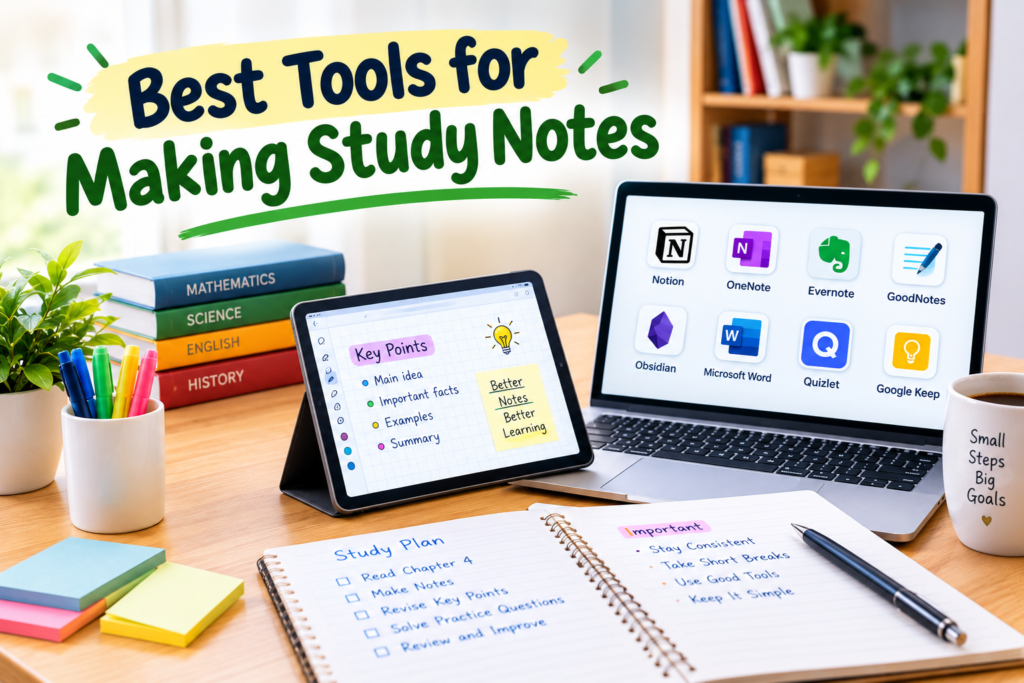
The best tools for making study notes are the ones that help you understand information and make revision easier. OneNote, Notion, Evernote, Google Docs, Microsoft Word, Obsidian, Google Keep, and Quizlet all offer different ways to organize and review study material.
In my view, you do not need to use every tool. Start with one that matches your study style and learn how to use it properly.
Good study notes should be clear, organized, and focused on useful information. Whether you write them by hand or create them digitally, the goal should always be better understanding.
I also recommend using technology as a helper rather than allowing it to become a distraction. A simple note taking system, regular review, and active practice can be more valuable than spending hours creating a complicated setup.
Once you find a note taking method that works for you, studying can become more organized and much easier to manage.