adsenservice
Related Articles

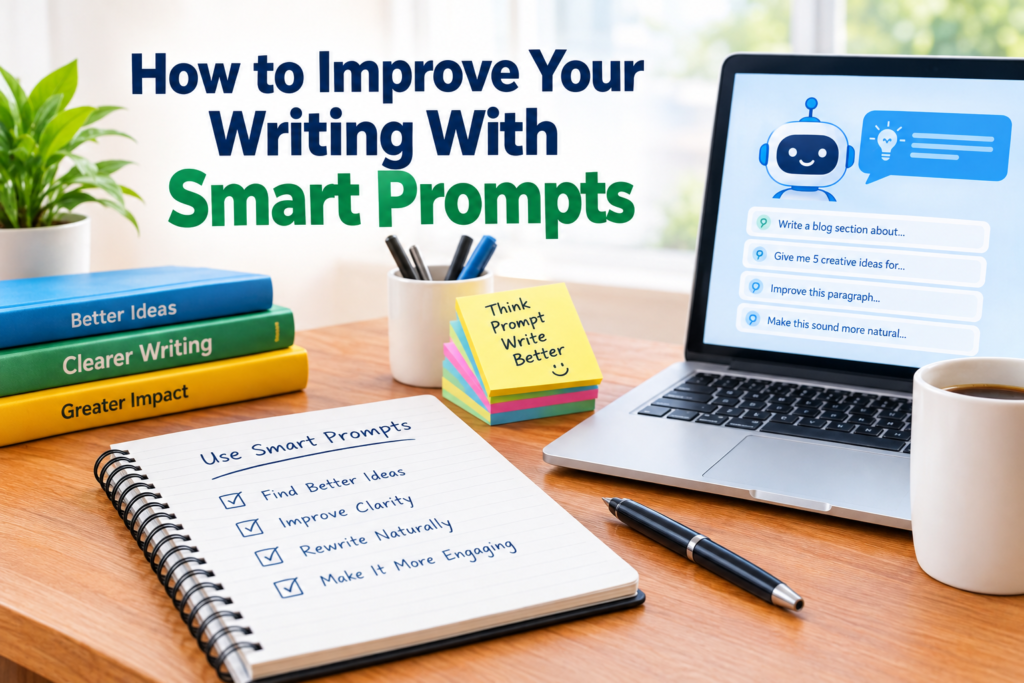
Writing is a skill that becomes better with practice, but I have found that the right prompts can make the learning process much easier. A good prompt can help me organize my thoughts, discover new ideas, improve unclear sentences, and look at my writing from a different point of view. This is where smart prompts can become useful for students, bloggers, freelancers, professionals, and anyone who wants to communicate more clearly.
When people hear about smart prompts, they often think about asking artificial intelligence to write an entire article. In my experience, that is not the most useful way to approach them. Smart prompts work better when they help me think, edit, improve, and develop my own ideas.
If you want to know how to improve your writing with smart prompts, the first step is understanding how to create prompts that provide useful and specific instructions.
What Are Smart Prompts?
A smart prompt is a clear instruction or question designed to guide an AI writing tool toward a specific result.
A basic prompt might say, “Improve my writing.” This can produce a result, but it does not give enough information about what needs improvement.
A smarter prompt could say, “Review this paragraph for grammar, clarity, sentence structure, and readability. Keep my original meaning and use simple natural English.”
The second prompt gives the tool a clear purpose. It also tells the tool what to change and what to preserve.
I believe this difference is extremely important. Better instructions usually lead to more useful feedback.
Start With Your Main Writing Goal
Before creating a prompt, I first think about what I actually want to improve.
Do I want better grammar? Do I want my sentences to sound more natural? Am I struggling with introductions? Do I need help organizing an article? Or do I want to make my writing easier for beginners to understand?
Once the goal is clear, the prompt becomes easier to create.
For example, instead of asking an AI tool to improve an entire article without direction, I might ask:
“Review this article and identify sentences that are difficult to understand. Explain the problem and suggest a clearer version while keeping my writing style.”
This gives me specific feedback instead of a completely rewritten article.
Use Smart Prompts for Brainstorming
One of the easiest ways to improve writing is to start with better ideas.
Sometimes I know the topic I want to write about, but I do not know which points to include. Smart prompts can help during this stage.
For example, you can ask:
“Give me 10 useful points I can discuss in an article about improving productivity while working from home. Focus on practical advice for beginners.”
The purpose is not to copy the generated ideas. Instead, I use them as a starting point and decide which ideas are actually useful for my audience.
This approach can help reduce writer’s block and make the planning process faster.
Improve Your Introductions With Prompts
The introduction is one of the most important parts of an article because it gives readers a reason to continue.
A smart prompt can help you evaluate your introduction.
For example:
“Review this introduction and tell me whether it clearly explains the topic and gives readers a reason to continue reading. Suggest improvements without making the introduction sound exaggerated.”
I like this type of prompt because it focuses on analysis rather than simply generating new content.
You can also ask for different approaches. For example, you might request a problem focused introduction, a question based introduction, or an experience based introduction.
This gives you several directions while allowing you to choose the one that fits your article.
Use Prompts to Make Sentences Clearer
Sometimes a sentence is grammatically correct but still feels confusing.
This is where smart prompts can be particularly useful.
You can ask:
“Rewrite this sentence in simple and natural English. Keep the original meaning and avoid complicated vocabulary.”
Another useful instruction is:
“Make this paragraph easier to understand for a general audience while keeping the information accurate.”
These prompts are helpful because they focus on clarity rather than making the writing sound unnecessarily complicated.
In my opinion, clear writing is usually better than writing that tries too hard to sound impressive.
Improve Grammar Without Losing Your Voice
Grammar checking is another area where smart prompts can help.
Instead of asking an AI tool to rewrite everything, you can ask it to identify mistakes first.
For example:
“Check this paragraph for grammar, spelling, punctuation, and sentence structure. List the problems and explain the corrections before providing the improved paragraph.”
This method gives you an opportunity to learn from your mistakes.
I prefer this approach because the purpose of improving writing should not only be producing a better paragraph today. It should also help you recognize similar mistakes when you write tomorrow.
Ask for Feedback on Your Writing Style
Every writer develops certain habits. Some people use very long sentences. Others repeat the same words. Some writers use too much passive voice, while others add unnecessary phrases.
Smart prompts can help identify these patterns.
You can ask:
“Analyze my writing style in this sample. Identify repeated words, sentence length problems, unnecessary phrases, and areas where the writing could sound more natural.”
This type of prompt can give you useful information about your writing habits.
You can then use that feedback when creating future articles, emails, or other content.
Use Prompts to Remove Unnecessary Words
Good writing is not always about adding more information. Sometimes the biggest improvement comes from removing words that do not contribute anything useful.
For example, you can use a prompt like:
“Review this paragraph and identify unnecessary words or phrases. Make it more concise while keeping all important information.”
This is especially useful for online writing because many readers prefer content that gets to the point.
However, I would always compare the original version with the suggested version. Removing too many words can sometimes remove useful context.
Create Prompts for Better Transitions
Another common writing problem is poor flow between paragraphs.
You might have several useful points, but the article can still feel disconnected if one paragraph does not naturally lead into the next.
A smart prompt can help with this.
Try asking:
“Review the transitions between these paragraphs. Identify where the flow feels disconnected and suggest natural transition sentences.”
This can help create a smoother reading experience.
The goal should be to guide readers from one idea to another without making the transitions feel forced.
Use Smart Prompts for Blog SEO
Smart prompts can also support search engine optimization when writing blog content.
For example, you can ask:
“Review this article for the keyword ‘writing improvement tips.’ Suggest natural places where the keyword or related phrases could be used without making the content sound repetitive.”
This can help you think about keyword placement while keeping the article readable.
I would not recommend filling an article with the same keyword repeatedly. Search focused content still needs to be useful and natural for human readers.
You can also use prompts to generate related topic ideas, frequently asked questions, title ideas, and possible subheadings.
Ask for Different Reader Perspectives
One of my favorite ways to use smart prompts is to ask for feedback from a particular reader perspective.
For example:
“Read this article as a beginner who knows very little about the topic. Identify any terms, explanations, or sections that may be confusing.”
You could also ask:
“Read this article as a busy reader. Identify sections that feel repetitive or take too long to reach the main point.”
These different perspectives can reveal problems that are difficult to notice when you are the person who wrote the article.
Build Your Own Prompt Library
If you regularly write content, I recommend keeping a small collection of prompts that work well for you.
You could have separate prompts for brainstorming, introductions, grammar checking, readability, SEO, editing, and final proofreading.
For example, you might create a personal proofreading prompt that always asks for spelling, grammar, punctuation, clarity, repetition, and readability.
Over time, this can make your writing workflow much faster.
You also learn which instructions produce the type of feedback you actually find useful.
Do Not Let Prompts Replace Your Judgment
Smart prompts are useful, but they are not a replacement for your own knowledge.
An AI tool can suggest a sentence that sounds good but changes the meaning of your original idea. It can also make recommendations that do not fit your audience or writing style.
That is why I always recommend reviewing suggestions before using them.
Your experience, knowledge, and personal writing voice are still important. The tool should support your decisions rather than make every decision for you.
A Simple Smart Prompt Formula
If you are new to prompt writing, you can follow a simple formula.
Start by explaining the task. Then provide the context. After that, describe the desired style and explain any limitations.
For example:
“Review this blog introduction for clarity and grammar. The audience is beginners. Keep the tone friendly and natural. Do not change the main message, add unnecessary information, or use complicated vocabulary.”
This is much more useful than simply saying, “Fix this.”
The more clearly you explain your goal, the easier it becomes to get useful feedback.
Final Thoughts
Learning how to improve your writing with smart prompts is not about letting technology write everything for you. For me, the biggest benefit is using prompts as an extra layer of feedback during the writing and editing process.
Smart prompts can help with brainstorming, grammar, spelling, sentence clarity, introductions, transitions, readability, SEO, and overall structure. They can also help you discover writing habits that you may not notice on your own.
The key is to be specific. Tell the tool what you want, who the audience is, what style you prefer, and what should remain unchanged.
Most importantly, read the suggestions yourself before accepting them. When you combine smart prompts with your own knowledge and judgment, you can create writing that is clearer, more natural, and more useful to your readers.
Good writing still starts with good ideas. Smart prompts simply give you another useful way to develop and polish those ideas.