adsenservice
Related Articles



Good grammar and correct spelling can make a big difference in how people understand your writing. Whether you are writing a blog post, email, school assignment, business document, social media post, or freelance content, small mistakes can affect the overall quality of your work. This is why I believe using the best tools for improving grammar and spelling can be helpful for almost every type of writer.
Writing tools have become much more useful in recent years. They can find spelling mistakes, identify grammar problems, suggest clearer sentences, and sometimes even explain why a particular change is recommended. However, I do not think these tools should replace your own judgment. Instead, I see them as writing assistants that help me notice mistakes I may have missed while editing.
In this article, I will discuss some of the best tools for improving grammar and spelling, what each tool can do, and how you can use them to improve your writing.
Why Grammar and Spelling Matter
Before looking at specific tools, it is worth understanding why grammar and spelling are important.
When an article contains many spelling mistakes or confusing sentences, readers may have difficulty following the main idea. Even if the information is useful, poor writing can make the content look less professional.
Good grammar also improves readability. Clear sentences are easier to understand, especially when you are explaining a complicated topic. Correct spelling makes your writing look more polished and reduces the chances of misunderstanding.
For bloggers and website owners, grammar and spelling can also contribute to a better reading experience. I always recommend checking an article carefully before publishing it because editing is much easier before the content goes live.
1. Grammarly
Grammarly is one of the most widely known tools for checking grammar and spelling. It can identify common spelling errors, grammar problems, punctuation issues, and other writing concerns.
One thing I like about Grammarly is that it can be used in different writing environments. You can check text while working on documents, emails, websites, and other types of content depending on the platform and features available.
The tool also provides suggestions that can help make sentences clearer. For someone who writes regularly, this can save time during the editing process.
However, I would not recommend accepting every suggestion automatically. Sometimes a writing tool may misunderstand the context or suggest a change that does not match your intended meaning. Reading the suggestion and deciding whether it actually improves the sentence is still important.
2. Microsoft Editor
Microsoft Editor is another useful option for improving grammar and spelling. It works particularly well for people who already use Microsoft products such as Word.
Microsoft Editor can check spelling, grammar, punctuation, and aspects of writing clarity. Having these features directly within a familiar writing environment can make editing more convenient.
I find this type of integration useful because it reduces the need to copy content into another website just to check basic mistakes. If you regularly write documents in Microsoft Word, Editor can become a natural part of your editing routine.
3. ProWritingAid
ProWritingAid is designed for writers who want more detailed feedback than basic spelling correction.
Along with grammar and spelling checks, it can provide information about readability, sentence structure, repeated words, and writing style. This can be especially useful for bloggers, authors, students, and people who regularly create long form content.
One advantage of detailed writing feedback is that it can help you identify patterns in your writing. For example, you might discover that you regularly use certain words too often or create sentences that are longer than necessary.
Instead of simply correcting individual mistakes, you can use this information to improve your writing habits over time.
4. Hemingway Editor
Hemingway Editor takes a slightly different approach. Rather than focusing only on grammar and spelling, it emphasizes readability and clear writing.
The tool can highlight difficult sentences, complicated phrases, passive voice, and other elements that may make content harder to read.
I think this can be particularly helpful after completing a blog post. Sometimes an article is grammatically correct but still feels difficult to read. Breaking long sentences into shorter ones and replacing complicated wording with simpler language can make the content much more accessible.
For bloggers, simple writing is often more effective than trying to sound overly sophisticated.
5. LanguageTool
LanguageTool is another popular grammar and spelling checker. It supports multiple languages, which makes it useful for people who write in languages other than English or work with multilingual content.
The tool can identify spelling mistakes, grammar issues, punctuation problems, and some style concerns. It is available through different platforms and integrations, making it convenient for regular use.
One reason I would consider LanguageTool is its broad language support. If you work with several languages, having one tool that can assist with different types of writing can make the editing process easier.
6. Ginger
Ginger is a writing assistance tool that focuses on grammar, spelling, sentence structure, and wording.
It can be useful when you want to identify mistakes and improve the way a sentence is written. Some writing tools focus heavily on individual errors, while tools like Ginger can also help users look at the overall sentence.
For people who are learning English, this type of feedback can be particularly useful because it can help them recognize recurring grammar mistakes.
7. Google Docs Writing Tools
Google Docs also includes built in spelling and grammar checking features. This makes it a convenient option for people who already write and edit documents through Google Docs.
The biggest benefit is convenience. You do not necessarily need a separate writing application for basic proofreading. As you type, Google Docs can identify certain spelling and grammar problems.
I often think simple tools are underrated. If your main requirement is checking basic mistakes, a built in solution may be enough. You can always use a more advanced tool later when you need deeper editing.
8. QuillBot
QuillBot is known for paraphrasing and writing assistance, but it also offers grammar checking features.
This can be useful when you have a sentence that is grammatically correct but does not sound natural. You can review alternative wording and decide whether another version communicates your idea more clearly.
I recommend using paraphrasing features carefully. The goal should be to improve your own writing rather than changing every sentence simply because a tool provides another version.
How I Use Grammar and Spelling Tools
In my experience, the best results come from using these tools as part of an editing process rather than depending on one tool to do everything.
First, I prefer to finish the article or document without constantly stopping to correct every small mistake. This helps me maintain my flow and focus on the ideas.
After completing the first draft, I go through the content and check grammar and spelling. At this stage, a writing tool can quickly identify errors that I may have overlooked.
Then I read the article myself.
This final step is extremely important. Automated tools can identify many common problems, but they cannot always understand exactly what I want to say. Human review helps make sure the article sounds natural and matches the intended meaning.
Choose a Tool Based on Your Needs
You do not need to use every grammar checker available. The right tool depends on your writing goals.
If you mainly need basic grammar and spelling corrections, a simple tool such as Microsoft Editor or Google Docs may be sufficient.
If you want detailed writing feedback, ProWritingAid can be worth exploring.
If readability is your main concern, Hemingway Editor can help you identify sentences that may be difficult for readers.
If you write in multiple languages, LanguageTool may be a practical choice.
For general writing assistance, Grammarly and Ginger are also useful options.
The important thing is to choose a tool that fits your workflow instead of installing several tools that all perform similar tasks.
Tips for Improving Grammar and Spelling Naturally
Grammar tools are helpful, but improving your own skills is even more valuable.
One of the best things you can do is read regularly. Reading high quality articles, books, and professional publications exposes you to correct sentence structures and vocabulary.
Another useful habit is keeping a list of mistakes you frequently make. If you repeatedly confuse two words or make the same grammar error, write it down and learn the correct usage.
I also recommend reading your content aloud. When you hear a sentence instead of simply looking at it, awkward wording and missing words often become easier to notice.
Finally, give yourself time to edit. Even a short break between writing and proofreading can help you notice mistakes that were invisible while you were creating the first draft.
Final Thoughts
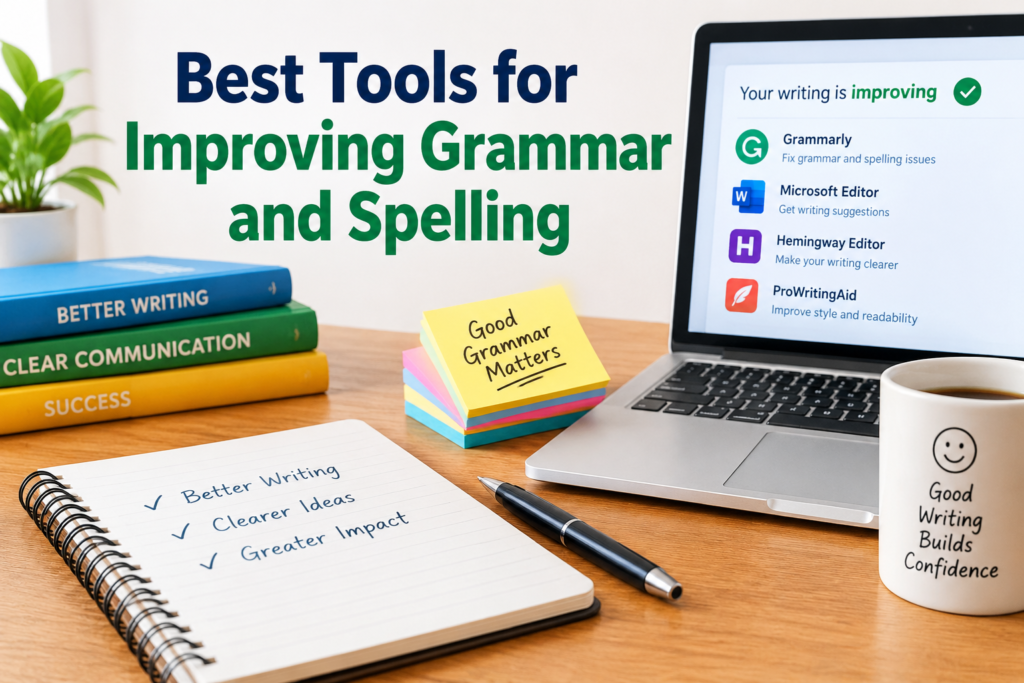
The best tools for improving grammar and spelling can make the writing process faster and more reliable. Grammarly, Microsoft Editor, ProWritingAid, Hemingway Editor, LanguageTool, Ginger, Google Docs, and QuillBot all offer useful features for different types of writers.
However, I believe the best approach is to combine technology with your own editing skills. A grammar checker can point out a problem, but you still need to understand the context and decide whether the suggested change is appropriate.
For me, the goal of using these tools is not simply to produce error free sentences. The real goal is to make writing clearer, easier to read, and more professional.
If you write regularly, adding a grammar and spelling checker to your editing routine can save time and help you become a better writer. Start with one tool that matches your needs, learn how its suggestions work, and continue developing your own grammar and proofreading skills alongside it.