adsenservice
Related Articles



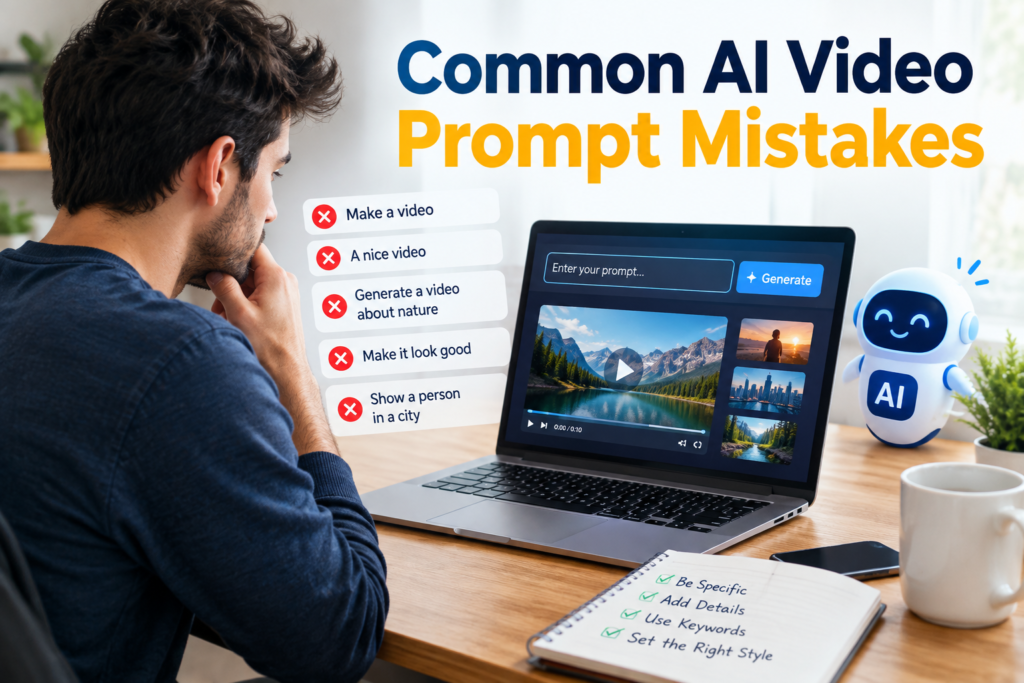
AI video generation has changed the way we create content. Today, anyone can turn a simple idea into a short video by using an AI video generator and a good prompt. I have personally found that the quality of an AI generated video depends heavily on how clearly the idea is explained.
Sometimes the AI video tool does not produce the result we expect. The characters may look different, the movement may feel unnatural, the camera may behave strangely, or the entire scene may have a completely different style. In many cases, the problem is not the AI video generator itself. The real problem is the prompt.
A poorly written prompt can make even a powerful AI video tool produce an unsatisfactory result. That is why understanding common AI video prompt mistakes is important for anyone who wants to create better videos.
In this article, I will explain the most common mistakes people make when writing AI video prompts and share practical ways to avoid them.
Why AI Video Prompts Matter
An AI video prompt is basically an instruction that tells the AI what kind of video you want to create. The AI uses the information in your prompt to understand the subject, environment, movement, camera view, lighting, mood, and visual style.
When the prompt is clear, the AI has more information to work with. When the prompt is too vague, the AI has to make many decisions on its own.
For example, a prompt such as “make a video of a man walking” is extremely simple. The AI does not know what the man looks like, where he is walking, what time of day it is, what type of camera shot you want, or what visual style you prefer.
A more detailed prompt can give the AI much better direction.
1. Using Vague AI Video Prompts
One of the biggest AI video prompt mistakes is keeping the prompt too short and general.
Many beginners think that a simple sentence is enough. However, AI video generation usually works better when the instructions provide useful visual information.
Instead of writing “a woman walking in a city,” describe the scene more clearly.
You could write something like:
“A young woman wearing a beige coat walks through a busy city street during light rain, with glowing shop signs in the background and cinematic evening lighting.”
Now the AI understands the subject, clothing, location, weather, time, background, and overall visual feeling.
How to avoid this mistake
Before writing your prompt, think about five basic things:
Who or what is in the video?
What is happening?
Where is the scene taking place?
What should the environment look like?
What visual style do you want?
Adding these details can make your AI video prompts much more useful.
2. Forgetting to Describe Movement
AI video is different from AI image generation because movement is one of the most important parts of the result.
A common mistake is describing only what the scene looks like without explaining what should happen.
For example, “a beautiful mountain landscape” describes an image, not necessarily a video.
If you want motion, include it in your prompt.
You could say:
“A peaceful mountain landscape with clouds slowly moving across the sky while trees gently move in the wind.”
This gives the AI a clear idea about animation and movement.
How to avoid this mistake
Always include action words when creating an AI video prompt. Words such as walking, running, turning, flying, moving, waving, opening, falling, rotating, or slowly approaching can help communicate the intended action.
I have found that describing movement clearly can make a noticeable difference in AI generated video results.
3. Ignoring Camera Movement
Another common mistake is forgetting to explain how the camera should behave.
If you simply describe the subject, the AI may choose a camera movement that does not match your idea.
For example, if you want a cinematic shot of a car driving through a city, you can describe the camera movement as well.
A prompt could say:
“A sports car drives through a modern city at night while the camera slowly follows the vehicle from behind.”
You can also describe camera movements such as a slow zoom, close up, wide shot, tracking shot, aerial view, or camera pan when supported by your chosen AI video generator.
How to avoid this mistake
Think like a filmmaker when writing your prompt. Ask yourself where the camera should be and how it should move.
Do you want a close shot of the face?
Do you want to see the entire environment?
Should the camera follow the subject?
Should the camera remain still?
These details can help you achieve more predictable results.
4. Forgetting the Visual Style
AI video tools can generate many different visual styles. If you do not specify the style, you may receive something completely different from what you imagined.
For example, you might want a realistic cinematic video but receive something that looks more like an animation.
This is why style is an important part of an AI video prompt.
You can mention terms such as realistic, cinematic, documentary style, animated, fantasy, futuristic, vintage, or minimalist, depending on your project and the capabilities of the tool.
How to avoid this mistake
Clearly describe the visual style you want.
For example:
“A realistic cinematic video of a fisherman standing beside a quiet lake at sunrise, with natural lighting and detailed environmental textures.”
The more clearly you communicate your visual direction, the easier it becomes to get a result that matches your expectations.
5. Adding Too Many Instructions
While detailed prompts can be useful, there is another problem that many people make. They add too many ideas into a single prompt.
A prompt can become confusing when it asks the AI to create several different scenes, moods, camera angles, characters, and actions at the same time.
For example, you might ask for a person running through a forest, then suddenly entering a futuristic city, flying into the sky, talking to a robot, and ending up on a beach.
The AI may struggle to maintain consistency throughout the video.
How to avoid this mistake
Keep each prompt focused on one main scene or idea whenever possible.
If your video requires multiple scenes, consider generating separate clips and combining them during editing. This can give you more control over the final video.
6. Not Mentioning the Aspect Ratio
Aspect ratio is another important detail that beginners sometimes overlook.
A video created for YouTube may need a different format from a video created for TikTok, Instagram Reels, or YouTube Shorts.
For example, landscape videos are commonly associated with a 16:9 format, while vertical social media videos commonly use 9:16.
If your AI video generator supports aspect ratio settings, choose the format according to where you plan to publish the video.
How to avoid this mistake
Decide where the video will be used before generating it.
For YouTube content, you may prefer a landscape format. For short form mobile content, a vertical format may be more suitable.
This small planning step can save you from having to recreate or heavily crop your video later.
7. Using Conflicting Instructions
AI video prompts can also fail when the instructions contradict each other.
For example, asking for a bright sunny afternoon while also requesting a dark nighttime environment creates confusion.
Similarly, asking for a character to look directly at the camera while simultaneously asking the character to look away can produce unpredictable results.
How to avoid this mistake
Read your prompt once before generating the video.
Make sure every instruction supports the same scene, mood, action, and visual direction.
If two instructions conflict with each other, remove one or rewrite the prompt so the intended result is obvious.
8. Expecting the First Result to Be Perfect
One mistake I see often is expecting the first AI generated video to be perfect.
AI video generation is still a creative process. Even a well written prompt may need adjustments.
Sometimes the character movement is not right. Sometimes the camera moves too quickly. Other times the background may not look the way you expected.
Instead of completely changing the idea, try improving the prompt gradually.
How to avoid this mistake
Treat your first generation as a test.
Look carefully at what the AI understood correctly and what it misunderstood. Then adjust the prompt.
You might need to add more information, remove unnecessary words, change the camera instruction, or describe the movement more clearly.
This process of refining prompts is one of the best ways to improve AI video generation skills.
A Simple Formula for Better AI Video Prompts
If you are not sure where to start, I recommend using a simple structure.
Start with the subject, then describe the action, environment, camera movement, lighting, and visual style.
For example:
“Create a realistic cinematic video of a young man riding a bicycle through a quiet countryside road at sunrise. The camera follows him from behind with a slow tracking movement. Soft morning light illuminates the trees and fields, creating a peaceful atmosphere.”
This type of prompt gives the AI several useful pieces of information without making the instructions unnecessarily complicated.
Final Thoughts
AI video generators can be incredibly useful for creators, marketers, bloggers, businesses, and anyone who wants to experiment with video content. However, getting good results is not only about choosing a powerful AI video tool.
The prompt also matters.
The most common AI video prompt mistakes include using vague instructions, forgetting movement, ignoring camera direction, leaving out the visual style, adding too many instructions, overlooking aspect ratio, creating conflicting requests, and expecting the first result to be perfect.
From my experience, the best approach is to start with a clear idea and describe it naturally. You do not need to write an extremely complicated prompt. You simply need to give the AI enough information to understand what you want.
With practice, you will become better at writing AI video prompts and understanding how different instructions affect the final result. Once you learn how to communicate your ideas clearly, AI video generation becomes much easier and much more enjoyable.