adsenservice
Related Articles



AI image generation has changed the way we create visual content. Today, anyone can describe an idea in simple words and turn it into an image within seconds. However, getting an image that actually looks realistic is not always as easy as it seems. In my experience, the biggest difference comes from the quality of the prompt.
When I first started experimenting with AI image generators, I noticed that simple prompts often produced images that looked artificial. The subject might look good, but the lighting, skin, hands, background, or overall details could make the image feel obviously computer generated. With better prompts, the results became much more natural.
In this article, I will explain how I use AI prompts for creating realistic images, what details should be included in a prompt, and how you can improve your results without making your prompts unnecessarily complicated.
What Are AI Prompts for Creating Realistic Images?
An AI image prompt is a written description that tells an AI image generator what kind of image you want. The prompt can describe the subject, environment, lighting, camera angle, colors, mood, composition, and other visual details.
For realistic images, the prompt needs to provide enough information for the AI to understand how the scene should look in real life.
For example, instead of writing:
“Man standing outside”
I would write something more specific:
“Photorealistic portrait of a middle aged man standing outside a modern cafe during early morning, natural sunlight falling on his face, realistic skin texture, detailed hair, subtle facial imperfections, natural shadows, shallow depth of field, professional photography.”
The second prompt gives the AI much more visual information. This usually helps create a result that feels closer to a real photograph.
Why Prompt Details Matter
One thing I have learned while creating AI images is that details matter a lot. AI does not always understand a short and general instruction in the exact way we imagine it.
If I ask for a realistic photograph of a house, the AI has many possibilities. It has to decide the architecture, weather, lighting, camera position, materials, surroundings, and many other things.
When I describe these elements myself, I have more control over the final image.
This does not mean that every prompt needs to be extremely long. A long prompt can sometimes make an image more confusing. I prefer using relevant details that directly affect the appearance of the image.
Start With a Clear Subject
The first thing I usually mention is the main subject.
If I want a realistic image of a person, I describe the person first. If I want a product photograph, I start with the product. If I want a landscape, I describe the location and environment.
For example:
“Realistic photograph of a young woman sitting beside a window in a modern apartment.”
This gives the AI a clear starting point.
You can then add details such as clothing, age, facial expression, hairstyle, environment, and body position.
For objects, you can describe the material, shape, size, condition, and position.
The clearer the subject is, the easier it becomes for the AI to create a focused image.
Use Realistic Lighting
Lighting is one of the most important elements when creating realistic AI images.
In real photography, light creates shadows, highlights, reflections, and depth. AI generated images can sometimes look artificial when the lighting does not make sense.
I often include phrases such as natural daylight, soft window light, golden hour sunlight, overcast lighting, realistic shadows, soft studio lighting, or warm indoor lighting.
For example:
“Photorealistic image of a wooden table beside a large window, soft morning sunlight entering the room, natural shadows, realistic reflections and detailed wood texture.”
These details help establish how light should interact with the objects in the scene.
Add Camera and Photography Details
If I want an image to look like a professional photograph, I often include photography related details in the prompt.
Useful terms can include:
“professional photography”
“photorealistic”
“natural depth of field”
“realistic lens perspective”
“sharp subject”
“soft background blur”
“natural composition”
“high detail”
You can also mention a camera angle such as eye level, close up, wide angle, low angle, or overhead view.
For example:
“Realistic street photograph captured at eye level, natural perspective, detailed architecture, soft background blur and realistic daylight.”
These instructions can help the AI create an image with a photographic appearance instead of an illustrated appearance.
Describe Skin Texture Naturally
When generating realistic people, skin is especially important.
One common problem with AI generated portraits is overly perfect skin. Real people normally have small details such as pores, fine lines, slight variations in skin tone, and natural imperfections.
Instead of asking for perfect skin, I prefer phrases such as:
“natural skin texture”
“subtle facial details”
“realistic pores”
“natural complexion”
“authentic facial features”
The goal is not to make the person look older or less attractive. The goal is to make the skin look believable.
Be Specific About the Environment
A realistic subject can still look artificial if the background is poorly described.
For example, if I am creating an image of a person sitting in a coffee shop, I might describe the furniture, windows, tables, lighting, walls, and objects in the background.
A prompt could be:
“Photorealistic image of a man working on a laptop inside a cozy modern coffee shop, wooden tables, large windows, soft natural daylight, coffee cup on the table, realistic background activity, natural shadows and shallow depth of field.”
This gives the AI a complete environment rather than leaving everything to guesswork.
Use Natural Colors
Another useful technique is describing colors naturally.
Real photographs usually contain balanced colors. If the prompt contains too many extreme colors, the final image may look more like digital artwork.
For realistic images, I often use terms such as natural colors, realistic color balance, soft warm tones, neutral colors, natural daylight, or authentic color grading.
For example:
“Realistic photograph of a small mountain cabin surrounded by pine trees, natural green vegetation, soft blue sky, warm sunlight and realistic color balance.”
This creates a more believable visual atmosphere.
Avoid Adding Too Many Instructions
One mistake I often see is trying to put everything into one prompt.
Adding dozens of unrelated instructions can make the result less predictable. I prefer to focus on the most important elements.
My basic structure is:
Subject + environment + action or position + lighting + camera perspective + realistic details + mood.
For example:
“Photorealistic portrait of a young man walking through a busy city street, casual clothing, natural facial expression, late afternoon sunlight, realistic shadows, eye level camera perspective, natural skin texture and subtle background blur.”
This is detailed enough without becoming unnecessarily complicated.
AI Prompts for Realistic Product Images
AI can also be useful for creating realistic product photography.
When creating product images, I recommend describing the product, surface, lighting, background, camera angle, and composition.
For example:
“Photorealistic product photograph of a modern black smartwatch placed on a clean wooden desk, soft studio lighting, realistic reflections on the screen, detailed materials, subtle shadows, neutral background and professional commercial photography.”
This type of prompt can be useful for blogs, websites, advertisements, product concepts, and social media content.
AI Prompts for Realistic Nature Images
Nature images can become very impressive when the prompt contains specific environmental details.
Instead of simply asking for a mountain, describe the weather, vegetation, time of day, atmosphere, and perspective.
For example:
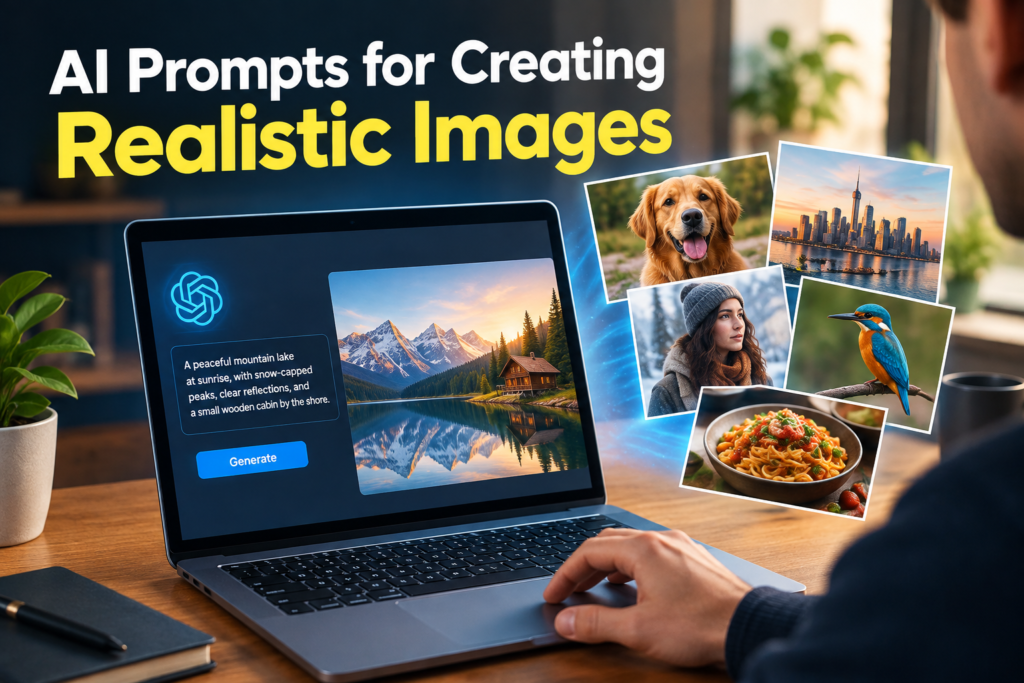
“Photorealistic mountain landscape during early morning, snow covered peaks in the distance, green pine forest surrounding a clear lake, soft sunlight, realistic water reflections, light morning mist and natural colors.”
The additional details help establish a realistic scene.
Keep Improving Your Prompts
Creating realistic AI images is usually a process of experimentation. I rarely expect the first generation to be perfect.
If the face looks unnatural, I adjust the facial details. If the lighting feels wrong, I change the lighting description. If the background is too busy, I simplify it.
Small changes can make a surprisingly big difference.
This is why I recommend saving prompts that produce good results. You can reuse their structure for future projects and simply change the subject or environment.
Final Thoughts
AI prompts for creating realistic images are not about using complicated words. They are about clearly explaining what you want the image to look like.
From my experience, the most important elements are the subject, environment, lighting, camera perspective, realistic textures, natural colors, and overall composition. When these elements work together, AI image generators can produce visuals that feel much closer to real photography.
The best approach is to start with a simple idea and gradually add useful details. Test different versions, compare the results, and learn which prompt descriptions work best for your preferred AI image generator.
With practice, writing realistic AI image prompts becomes much easier. You start understanding which details actually improve an image and which instructions are unnecessary. That experience is what eventually helps you create consistent, professional looking AI images for blogs, websites, social media, creative projects, and many other purposes.